Open chrome://history and confirm you are viewing the intended Chrome profile.
Likely causes to check first
- one extension or profile is misbehaving
- cached site data is stale
- memory pressure is forcing tabs to reload
- DNS/network problems affect only some sites
- security software or a proxy is intercepting connections
Troubleshoot from low-risk to high-risk
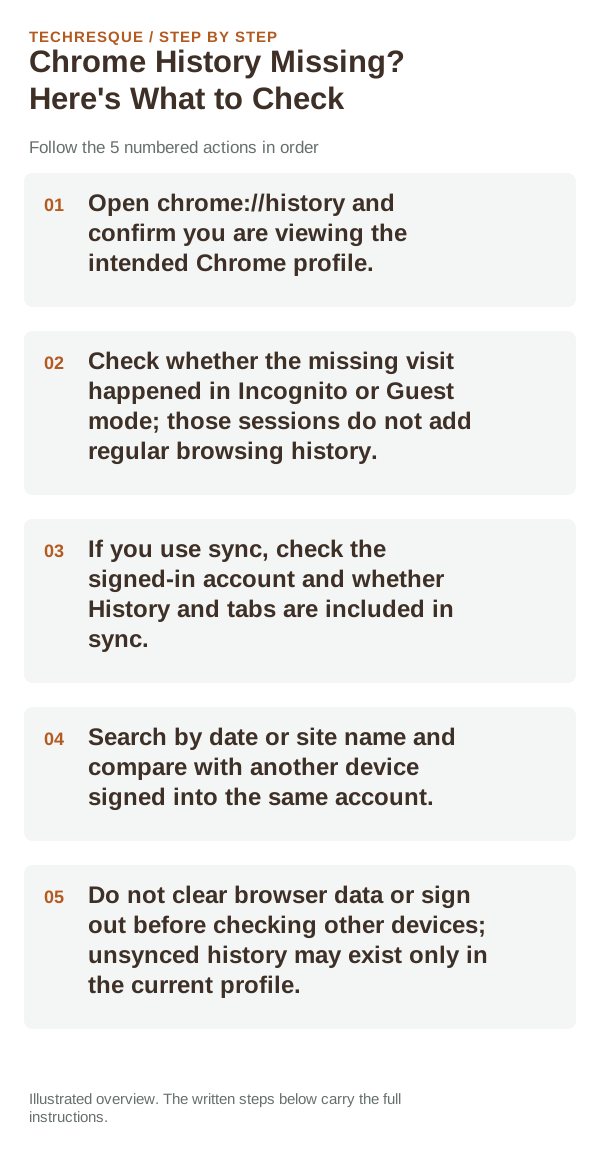
- Open chrome://history and confirm you are viewing the intended Chrome profile.
- Check whether the missing visit happened in Incognito or Guest mode; those sessions do not add regular browsing history.
- If you use sync, check the signed-in account and whether History and tabs are included in sync.
- Search by date or site name and compare with another device signed into the same account.
- Do not clear browser data or sign out before checking other devices; unsynced history may exist only in the current profile.
Use a clean A/B test
History visible on another signed-in device suggests a sync or profile mismatch. A missing Incognito visit is expected. If history was deleted from the only profile and was not synced, Chrome may not have a built-in way to restore it.
Do not make troubleshooting harder
Verify before you move on
Search for a known recent page in the correct Chrome profile, then check the date range and sync state. History that is absent locally and on other signed-in devices points to a different cause than a filtered view.
When to use support or repair
If the same page fails in another browser, contact the site or network owner; if only Chrome fails, report its version and reproduction steps.
Record Chrome version, device/OS, profile and extension state, and the affected page without private tokens or account data.
Frequently asked questions
Should I reset the whole device immediately?
Usually not. Compare a private window and another browser first. Reset Chrome only after checking the profile, extensions and sync.
How do I know when the fix is real?
Search for a known recent page in the correct Chrome profile, then check the date range and sync state. History that is absent locally and on other signed-in devices points to a different cause than a filtered view.
Official sources and further reading
Sync and saved information belong to a Chrome profile; confirm the account and backup before deleting local browser data.