Wait if an update or restore progress bar is moving, then remove accessories and check for a stuck button. Use the phone maker's recovery instructions, and stop before any option that erases data.
On Android, menu names vary by maker, so use Settings search when a path in a guide does not match your phone exactly.
Likely causes to check first
A logo-only startup can be a slow first boot, an interrupted update, a button held by the case, or a hardware problem. It is not the same as a phone that reaches the lock screen and then restarts.
Fix it in this order
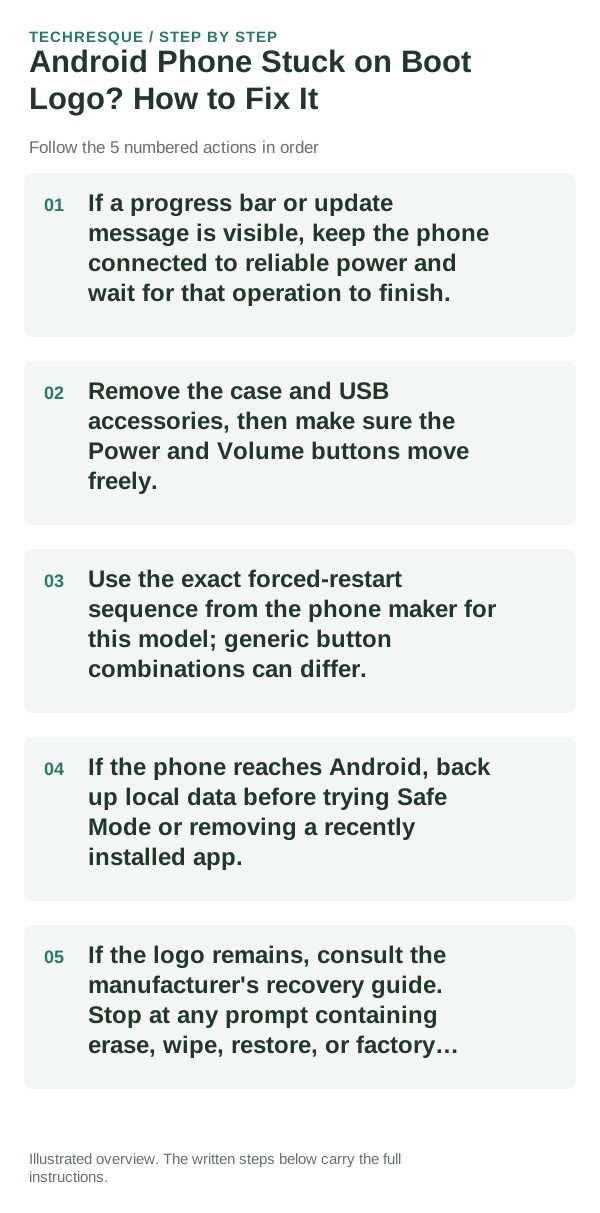
- If a progress bar or update message is visible, keep the phone connected to reliable power and wait for that operation to finish.
- Remove the case and USB accessories, then make sure the Power and Volume buttons move freely.
- Use the exact forced-restart sequence from the phone maker for this model; generic button combinations can differ.
- If the phone reaches Android, back up local data before trying Safe Mode or removing a recently installed app.
- If the logo remains, consult the manufacturer's recovery guide. Stop at any prompt containing erase, wipe, restore, or factory reset until backup is verified.
Isolate the failing layer
A moving update indicator means the phone may still be installing. A frozen logo after a restart, especially after an update or drop, calls for the manufacturer's recovery path rather than repeated button presses.
Do not interrupt a firmware update, unlock the bootloader, or select a data-erasing recovery option to see whether it works. Keep the device cool and use its proper charger.
Confirm that the problem is actually gone
The phone should reach the lock screen and remain there through a normal restart. If the same logo returns, record the screen and seek model-specific support before erasing it.
When to use support or repair
If the phone cannot reach Android or the official recovery screen, contact the phone maker or an authorized service center. Report the model, last update, exact screen, and whether data is backed up.
Frequently asked questions
Should I reset the whole device immediately?
Usually not. Test the affected feature with a built-in tool or second app first. Back up local-only files before clearing app storage or considering a factory reset.
How do I know when the fix is real?
The phone should reach the lock screen and remain there through a normal restart. If the same logo returns, record the screen and seek model-specific support before erasing it.