USB tethering is usually the steadier choice for one computer and also charges the phone; Wi-Fi hotspot is more convenient for multiple wireless devices. Actual speed is limited by the phone’s mobile connection either way.
This comparison focuses on the decision implied by the headline instead of declaring one option universally better.
USB tethering vs Wi-Fi hotspot at a glance
| Dimension | USB tethering | Wi-Fi hotspot |
|---|---|---|
| Setup | USB cable + tethering toggle | Join phone hotspot over Wi-Fi |
| Devices | Usually one host computer | Multiple clients |
| Battery | Phone can charge from host | Often higher phone battery use |
| Interference | Avoids local Wi-Fi interference | Uses local Wi-Fi radio |
Choose USB tethering when…
USB tethering is the better fit when its strongest trade-off matches your actual workflow. Test the exact task you repeat most often instead of comparing a long list of features you may never use.
Choose Wi-Fi hotspot when…
Wi-Fi hotspot makes more sense when its interaction model, compatibility or ecosystem removes more friction for you. Switching is worthwhile only if the difference shows up in the tasks you do every day.
How to make the decision objectively
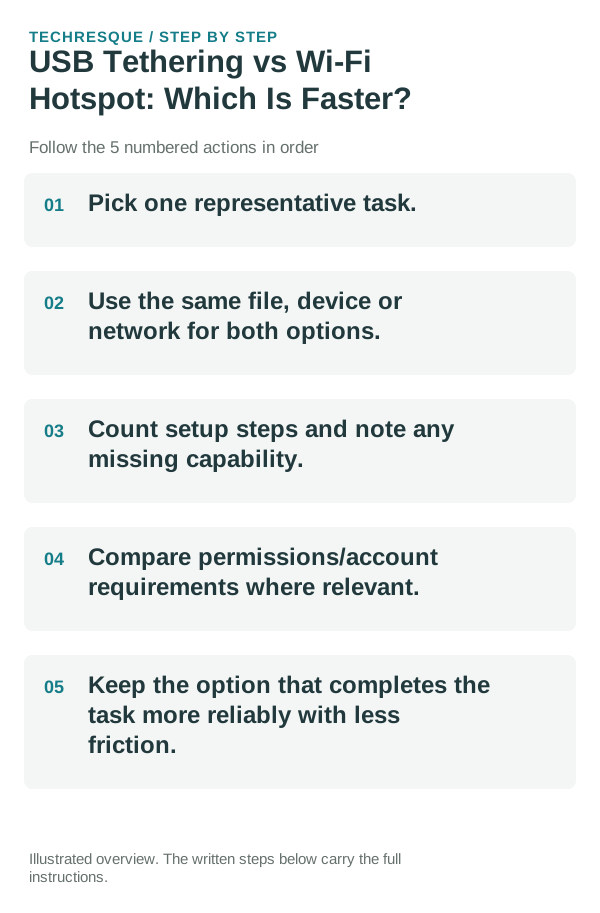
- Pick one representative task.
- Use the same file, device or network for both options.
- Count setup steps and note any missing capability.
- Compare permissions/account requirements where relevant.
- Keep the option that completes the task more reliably with less friction.
Bottom line
USB tethering is usually the steadier choice for one computer and also charges the phone; Wi-Fi hotspot is more convenient for multiple wireless devices. Actual speed is limited by the phone’s mobile connection either way.
Compare tethering speed under the same conditions
Run the comparison on the same phone, carrier connection, laptop, and speed-test server. Pause downloads on other devices, keep the phone in one place, and take several readings for USB tethering and Wi-Fi hotspot; compare the middle result rather than the single fastest run.
Both methods still depend on the phone's mobile signal and carrier capacity. USB avoids the short-range Wi-Fi link and can be more stable near wireless interference; Wi-Fi is easier for several devices. A USB cable must carry data, and a phone can become warm while tethering or charging.
| Connection | Useful when | What can skew the test |
|---|---|---|
| USB tethering | One computer needs a direct, steady link | Charge-only cable, USB mode, port, or cable quality |
| Wi-Fi hotspot | Several nearby devices need access | Distance, Wi-Fi band, interference, and connected clients |
| Both are slow | The local link may not be the bottleneck | Weak mobile signal, network congestion, or carrier limits |
A more useful real-world check
USB tethering removes the extra Wi‑Fi hop between the phone and computer, so it can be more stable and may reduce wireless interference; it can also keep the phone powered. The trade-off is that it needs a cable, compatible USB mode and a computer that recognizes the tethering interface.
A Wi‑Fi hotspot is more convenient and can serve multiple devices, but it keeps another radio active and can increase heat and battery use during long sessions. Test the same download or video call on both methods before deciding which is better for your setup.
Frequently asked questions
Is one option always better?
No. The better choice depends on the exact task and the trade-offs you care about.
What should I compare first?
Compare the feature or workflow that made you search for this comparison in the first place.
Should I migrate everything before deciding?
No. Test with one file, one home-screen setup or one network scenario first.
Official sources and further reading
Router and carrier labels depend on the hardware and service. Compare a second device on the same network before changing router settings.