Use 5 GHz when you are close to the router and want more throughput; use 2.4 GHz when range and wall penetration matter more. The best home network often uses both.
This comparison focuses on the decision implied by the headline instead of declaring one option universally better.
2.4 GHz vs 5 GHz at a glance
Both bands carry Wi-Fi, but 2.4 GHz usually reaches farther and passes through walls better while 5 GHz often has more capacity nearby. Router channel, client support, and congestion matter as much as the label.
Choose 2.4 GHz when…
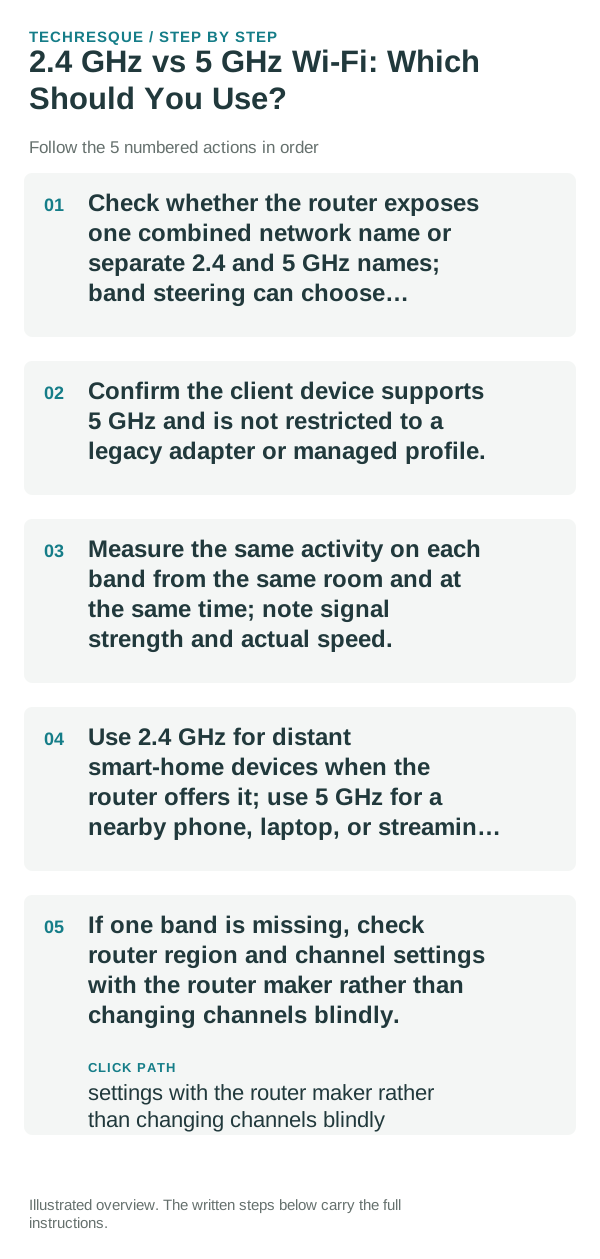
- Check whether the router exposes one combined network name or separate 2.4 and 5 GHz names; band steering can choose automatically.
- Confirm the client device supports 5 GHz and is not restricted to a legacy adapter or managed profile.
- Measure the same activity on each band from the same room and at the same time; note signal strength and actual speed.
- Use 2.4 GHz for distant smart-home devices when the router offers it; use 5 GHz for a nearby phone, laptop, or streaming device if it performs better.
- If one band is missing, check router region and channel settings with the router maker rather than changing channels blindly.
Choose 5 GHz when…
Fast near the router but weak through walls favors trying 2.4 GHz. A nearby client with strong signal and heavy interference may do better on 5 GHz; actual results depend on the router and client.
How to make the decision objectively
Do not assume 5 GHz always means faster internet or split network names unless you need to diagnose band selection. Keep router security enabled and record the original settings.
Bottom line
Compare one normal task on each supported band in its real location and keep the one that gives stable performance, not just the highest brief speed-test result.
What the network test actually tells you
If one band is absent across supported devices, ask the router maker about channel, region, and firmware compatibility.
A more useful real-world check
In practice, 2.4 GHz is usually the safer band for distance and wall penetration, while 5 GHz is better when the device is closer to the router and higher throughput matters. The best choice is therefore location-dependent rather than a permanent setting for every device.
If your router uses one network name for both bands, band steering may choose automatically. When diagnosing a problem, temporarily separating the bands can make it easier to see whether range or congestion is the real limitation.
Frequently asked questions
Is one option always better?
No. The better choice depends on the exact task and the trade-offs you care about.
What should I compare first?
Compare the feature or workflow that made you search for this comparison in the first place.
Should I migrate everything before deciding?
No. Test with one file, one home-screen setup or one network scenario first.