Check Settings > Battery for Charge Limit, Optimized Battery Charging, or a temperature-related hold. An iPhone pausing near 80% can be expected battery management, not a failed charger.
On iPhone, prefer Apple’s built-in Settings and reset options; use “Reset All Settings” or a full erase only when a narrower fix has failed and you have a backup.
Start by narrowing the cause
Recent iPhones can use a chosen charge limit, while Optimized Battery Charging may pause around 80% and finish later. iOS can also hold charging when the device is too warm or cold.
Troubleshoot from low-risk to high-risk
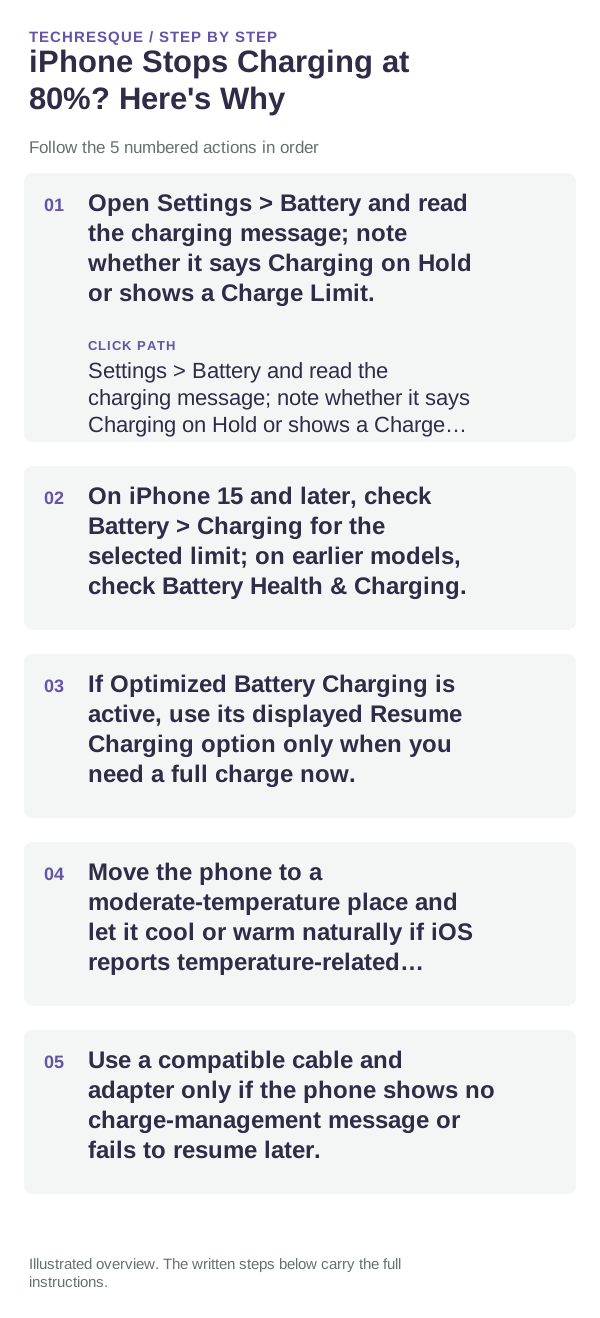
- Open Settings > Battery and read the charging message; note whether it says Charging on Hold or shows a Charge Limit.
- On iPhone 15 and later, check Battery > Charging for the selected limit; on earlier models, check Battery Health & Charging.
- If Optimized Battery Charging is active, use its displayed Resume Charging option only when you need a full charge now.
- Move the phone to a moderate-temperature place and let it cool or warm naturally if iOS reports temperature-related charging hold.
- Use a compatible cable and adapter only if the phone shows no charge-management message or fails to resume later.
What each result tells you
A displayed limit or optimized schedule explains a pause near 80%. If the phone is hot, iOS may pause charging temporarily; a lack of any status message calls for cable and adapter checks.
Shortcuts that usually waste time
Do not disable battery protections permanently just to force 100%. Avoid cooling the phone in a refrigerator or heating it directly.
Verify before you move on
Confirm the charging screen explains the pause and that charging resumes when the schedule, limit, or temperature condition allows it.
When to use support or repair
If charging remains held after settings and temperature are normal, contact Apple Support with the model, iOS version, and exact Battery message.
Control temperature during the test
For a clean comparison, start at a similar battery percentage, let the device cool, use the same charger and keep the screen off for a short interval. Temperature and foreground use can otherwise hide the effect of the change you made.
Frequently asked questions
What should I check first for iphone stops charging at 80%? here's why?
An iPhone that pauses around 80% may be using Optimized Battery Charging, a Charge Limit, or temperature protection. Check Settings → Battery → Charging and the phone’s temperature before treating it as a fault.
Should I reset the whole device immediately?
Usually not. Check the affected app, accessory or setting first. Reset All Settings or erase the phone only after a backup.
How do I know when the fix is real?
Confirm the charging screen explains the pause and that charging resumes when the schedule, limit, or temperature condition allows it.