First identify whether the missing message is iMessage or carrier SMS, MMS, or RCS, and whether it affects one person or everyone. Check cellular service and Apple System Status, verify the intended number under Settings > Messages > Send & Receive, then send a fresh test to a known contact.
iMessage and carrier messages use different delivery paths. Carrier, region, and iOS version affect SMS, MMS, and RCS availability.
Separate a contact problem from a phone-wide problem
Look at the conversation and the exact error. Blue bubbles are iMessage; green bubbles use RCS, SMS, or MMS. If only one conversation is affected, confirm the recipient's current number or address and check that it is not blocked. If every conversation is affected, check signal, the active SIM or eSIM, and whether ordinary calls work.
Check iMessage and carrier delivery separately
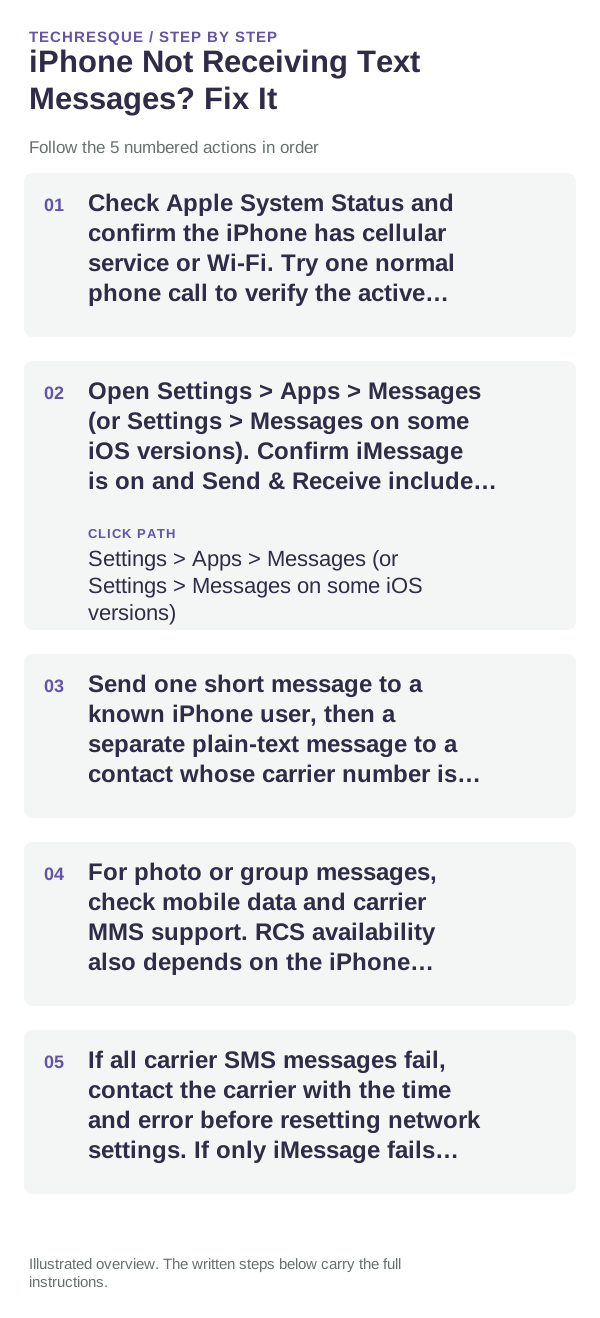
- Check Apple System Status and confirm the iPhone has cellular service or Wi-Fi. Try one normal phone call to verify the active line.
- Open Settings > Apps > Messages (or Settings > Messages on some iOS versions). Confirm iMessage is on and Send & Receive includes the intended phone number or Apple Account address.
- Send one short message to a known iPhone user, then a separate plain-text message to a contact whose carrier number is current. Note which one fails and any displayed error.
- For photo or group messages, check mobile data and carrier MMS support. RCS availability also depends on the iPhone software, carrier, region, and recipient.
- If all carrier SMS messages fail, contact the carrier with the time and error before resetting network settings. If only iMessage fails, check Apple’s service status and the registration details first.
If messages arrive on another Apple device
On the iPhone, revisit Send & Receive and make sure the correct number is selected. Check that the active SIM/eSIM is enabled and that the iPhone has not recently changed numbers or carriers. Other Apple devices may receive iMessages through the Apple Account even while the iPhone's carrier line is unavailable, so that alone does not prove SMS works.
Keep the history safe while troubleshooting
- Do not delete message threads or clear Messages data just to test delivery.
- Do not repeatedly sign out of the Apple Account or toggle iMessage; registration changes can take time.
- Hide message content and verification codes if you capture an error for support.
Confirm the fix with a new message
Repeat the same test with the same contact and message type that failed. Confirm the message changes from waiting or failed to delivered, then test a second contact only if the first test still leaves the cause unclear.
When to contact support
Contact the carrier if regular SMS/MMS fails for multiple recipients while calls or data are also affected. Contact Apple if iMessage registration fails or the issue remains limited to Apple messaging after carrier service is confirmed. Provide the iPhone model, iOS version, message type, and exact error without sharing private message contents.
Frequently asked questions
Why are some iPhone message bubbles green?
Green bubbles use RCS, SMS, or MMS rather than iMessage. Check the message type and carrier service before changing iMessage settings.
Does iMessage need cellular service?
iMessage can use Wi-Fi or cellular data. SMS needs cellular service, while RCS and MMS availability depends on carrier and region.
What if messages arrive on another Apple device but not this iPhone?
Check Settings > Apps > Messages > Send & Receive and confirm the intended number is selected. Also check the active SIM/eSIM and Messages forwarding settings.
Official sources and further reading
- Apple Support — If you can’t send or receive messages on your iPhone or iPad
- Apple Support — Why are my iPhone messages green?
Blue iMessage and green RCS/SMS/MMS use different delivery paths. Carrier support and menu labels vary by region and iOS version.