Incoming iPhone calls can be silenced by Focus, call screening, forwarding, or carrier routing. Test a known caller and outgoing service before resetting network settings. Check signal and place an outgoing call; confirm the active line if using dual SIM. Temporarily turn off Focus and Silence Unknown Callers, then ask a saved contact and an unsaved number to test.
iOS and macOS menu names can change by release; use Settings search and confirm whether the issue affects one app, one contact, or the entire device.
Why this can happen
Incoming iPhone calls can be silenced by Focus, call screening, forwarding, or carrier routing. Test a known caller and outgoing service before resetting network settings.
- Focus or Silence Unknown Callers is active.
- Call forwarding or a blocked contact affects the call.
- The SIM/eSIM, carrier, or cellular coverage is unavailable.
- Live Voicemail or call-screening behavior is mistaken for a missed ring.
- The issue affects one number rather than all callers.
Troubleshoot from low-risk to high-risk
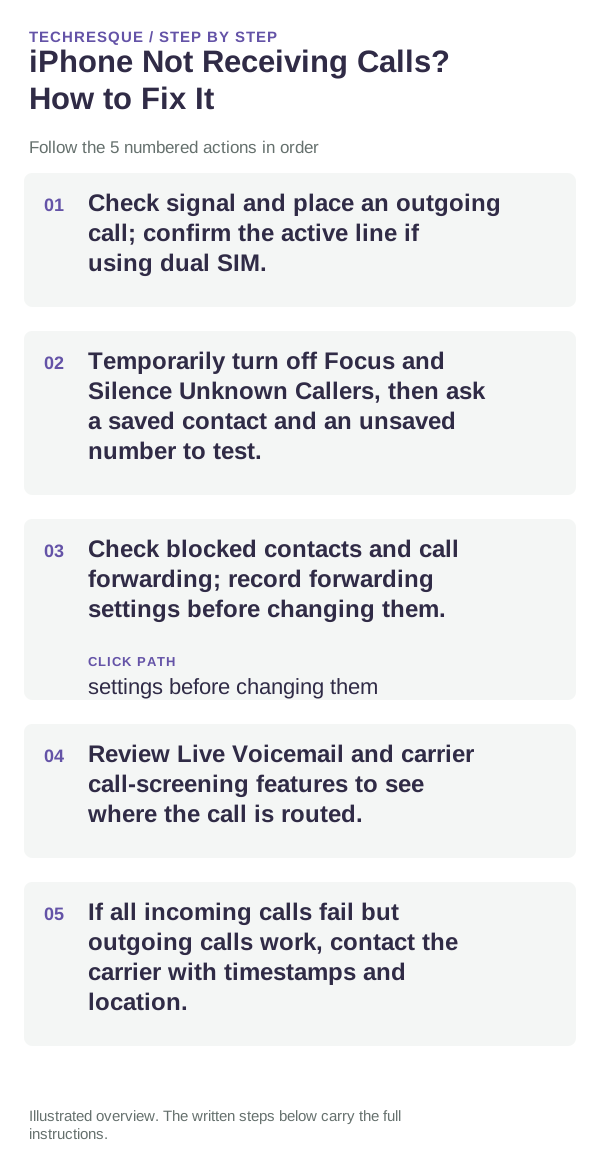
- Check signal and place an outgoing call; confirm the active line if using dual SIM.
- Temporarily turn off Focus and Silence Unknown Callers, then ask a saved contact and an unsaved number to test.
- Check blocked contacts and call forwarding; record forwarding settings before changing them.
- Review Live Voicemail and carrier call-screening features to see where the call is routed.
- If all incoming calls fail but outgoing calls work, contact the carrier with timestamps and location.
What each result tells you
Compare one saved caller, one unsaved caller, and an outgoing call; this separates phone filtering from carrier service.
Compare one saved caller, one unsaved caller, and an outgoing call; this separates phone filtering from carrier service.
Do not make troubleshooting harder
- Do not post phone numbers or voicemail contents publicly.
- Restore any temporary Focus/filter setting after the test.
What success should look like
Compare one saved caller, one unsaved caller, and an outgoing call; this separates phone filtering from carrier service.
When to use support or repair
If the issue persists across apps or networks after updates and model-specific checks, contact Apple Support with the model and iOS version.
Record iPhone model, iOS version, affected app or setting, exact message and whether it follows one network. Hide personal details in screenshots.
Frequently asked questions
What should I check first?
Check signal and place an outgoing call; confirm the active line if using dual SIM. Temporarily turn off Focus and Silence Unknown Callers, then ask a saved contact and an unsaved number to test. Check blocked contacts and call forwarding; record forwarding settings before changing them.
Should I reset the whole device immediately?
Usually not. Check the affected app, accessory or setting first. Reset All Settings or erase the phone only after a backup.
How do I know when the fix is real?
Compare one saved caller, one unsaved caller, and an outgoing call; this separates phone filtering from carrier service.
Official sources and further reading
iPhone settings labels can move between iOS versions. Use Settings search if a path differs, and check whether the symptom affects one app or the whole device.