Determine whether one app freezes or the whole iPhone stops responding. Close only the affected app when possible, check storage and updates, and back up before using recovery.
On iPhone, prefer Apple’s built-in Settings and reset options; use “Reset All Settings” or a full erase only when a narrower fix has failed and you have a backup.
Where this problem usually comes from
A single app can hang while iOS remains responsive, whereas a frozen screen across the phone can follow low storage, an iOS problem, heat, or hardware damage.
Work through these checks
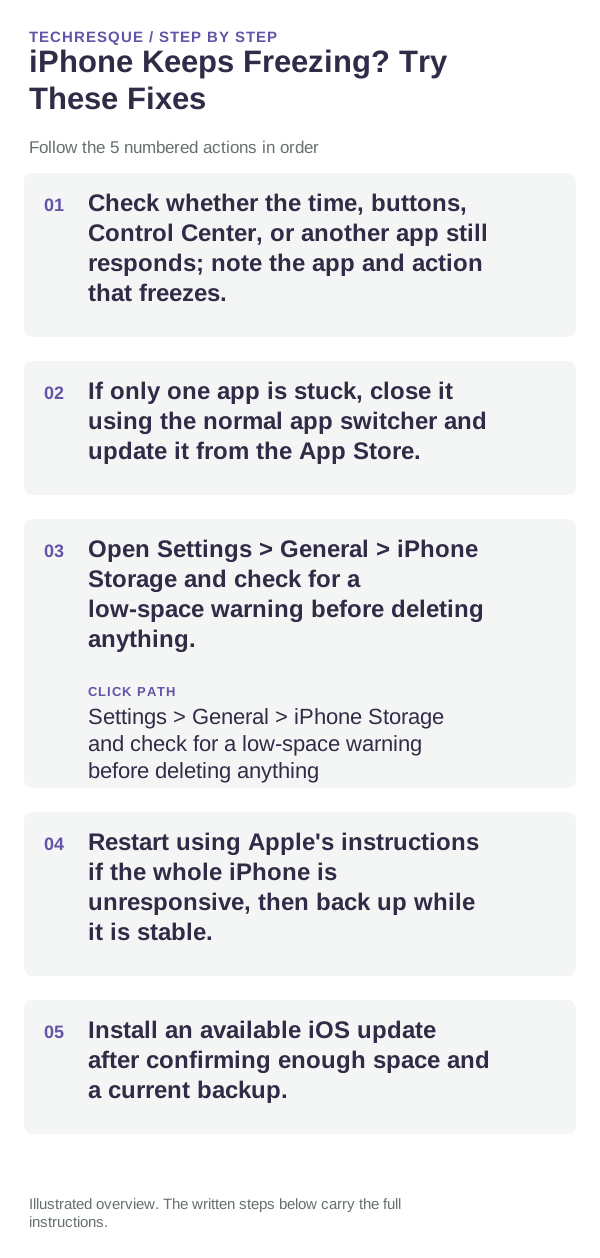
- Check whether the time, buttons, Control Center, or another app still responds; note the app and action that freezes.
- If only one app is stuck, close it using the normal app switcher and update it from the App Store.
- Open Settings > General > iPhone Storage and check for a low-space warning before deleting anything.
- Restart using Apple's instructions if the whole iPhone is unresponsive, then back up while it is stable.
- Install an available iOS update after confirming enough space and a current backup.
Isolate the failing layer
One app repeatedly freezing points to that app or its data; multiple apps and Settings freezing points to iOS, storage, or hardware. A freeze after a drop or liquid exposure needs service attention.
What not to change first
Do not force-quit every app routinely, erase the iPhone, or remove app data before checking whether it is synced. Stop if the device is unusually hot or physically damaged.
Confirm that the problem is actually gone
Repeat the same action in the affected app and in a built-in app. Confirm the iPhone remains responsive and the backup timestamp is current.
When to use support or repair
If the whole system keeps freezing after updates and storage checks, contact Apple Support with the iOS version, affected apps, and recent drop or liquid history.
Frequently asked questions
Should I reset the whole device immediately?
Usually not. Check the affected app, accessory or setting first. Reset All Settings or erase the phone only after a backup.
How do I know when the fix is real?
Repeat the same action in the affected app and in a built-in app. Confirm the iPhone remains responsive and the backup timestamp is current.