Open Settings > Battery > Battery Health & Charging and read Maximum Capacity, Peak Performance Capability, and any service message. On some iOS versions the menu is called Battery Health. This estimate is different from the charge percentage in the status bar.
Available battery-health details and labels depend on iPhone model and iOS version.
Before you start
Check the iPhone model and iOS version, then search Settings for Battery Health if the menu path differs. Battery usage by app shows recent power consumption; it does not measure battery condition.
Check the health estimate
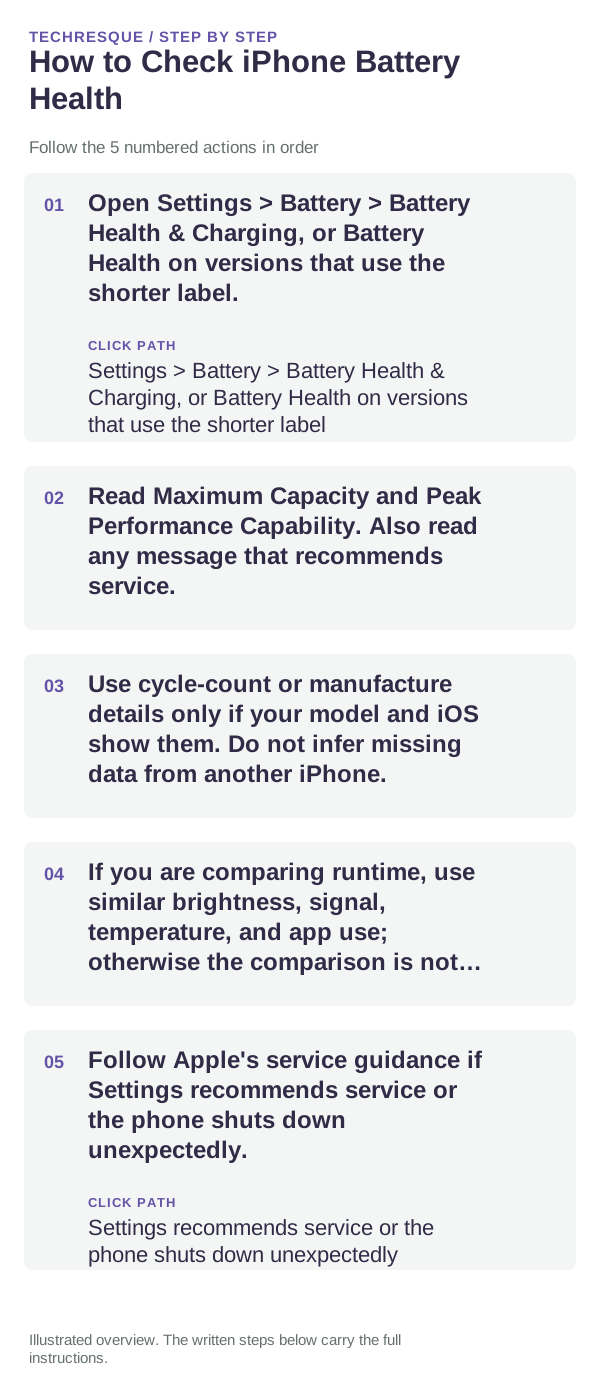
- Open Settings > Battery > Battery Health & Charging, or Battery Health on versions that use the shorter label.
- Read Maximum Capacity and Peak Performance Capability. Also read any message that recommends service.
- Use cycle-count or manufacture details only if your model and iOS show them. Do not infer missing data from another iPhone.
- If you are comparing runtime, use similar brightness, signal, temperature, and app use; otherwise the comparison is not meaningful.
- Follow Apple's service guidance if Settings recommends service or the phone shuts down unexpectedly.
What Maximum Capacity means
Maximum Capacity is an estimate compared with when the battery was new. It is not today's remaining charge, and it does not by itself explain a sudden drain. A phone can show healthy capacity and still lose power quickly because of weak signal, high screen use, a recent update, or a background app.
If the menu or a metric is missing
Battery-health details depend on iPhone model and software. Check Apple Support for the exact model before installing a monitoring utility or assuming the battery is damaged. If Settings displays a service message, use the linked service guidance.
Keep this check read-only
Reading battery health does not change a setting. If you adjust a power option while investigating, record the original value and change only one control at a time.
When to get service
Arrange Apple service if Settings recommends it, the iPhone repeatedly shuts down under ordinary use, or the battery is swollen or unusually hot. Stop using a damaged or swollen battery.
Frequently asked questions
Where do I find Maximum Capacity?
Open Settings > Battery > Battery Health & Charging; the menu label can vary by iOS version.
Does Maximum Capacity equal today's charge?
No. Maximum Capacity compares estimated capacity with when the battery was new. The status-bar percentage shows charge remaining now.
When should I contact Apple?
Follow any service recommendation shown in Settings and Apple's guidance for your model, especially if shutdowns or physical damage are involved.
Official sources and further reading
Apple battery-health menus and reported details vary by model and iOS version.