Check Drive's upload status, account quota, file size, connection, and whether one file or all files are affected. Test a small copy before changing the original.
On Android, menu names vary by maker, so use Settings search when a path in a guide does not match your phone exactly.
Likely causes to check first
A Drive upload can pause because the account is at quota, the connection dropped, the browser session expired, the file is still changing locally, or the upload exceeds a service limit.
Fix it in this order
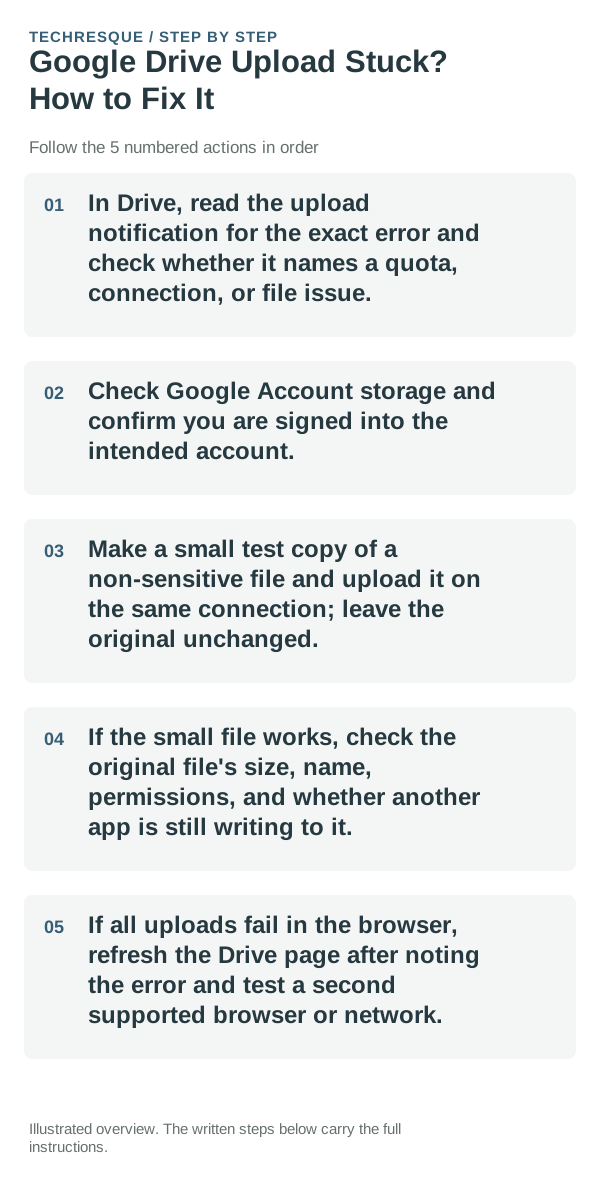
- In Drive, read the upload notification for the exact error and check whether it names a quota, connection, or file issue.
- Check Google Account storage and confirm you are signed into the intended account.
- Make a small test copy of a non-sensitive file and upload it on the same connection; leave the original unchanged.
- If the small file works, check the original file's size, name, permissions, and whether another app is still writing to it.
- If all uploads fail in the browser, refresh the Drive page after noting the error and test a second supported browser or network.
Use a clean A/B test
Small uploads succeed but one large file fails points to that file, its size, or a file-in-use issue. Nothing uploads and quota is full points to account storage; a second browser distinguishes session trouble.
Shortcuts that usually waste time
Do not delete the original, repeatedly retry a large file, or share sensitive content to a public link as a test. Confirm the uploaded copy opens before moving or removing local data.
How to confirm the fix
Drive should show the test file in the intended folder, and it should open from another tab or device. For the original, wait until its upload status completes before changing the local copy.
When to use support or repair
If the same file fails after quota, connection, and browser checks, contact Google Drive support with the exact message, file size, and browser version.
Frequently asked questions
Should I reset the whole device immediately?
Usually not. Check which quota is full and confirm a backup before removing originals; clearing the wrong storage can lose files.
How do I know when the fix is real?
Drive should show the test file in the intended folder, and it should open from another tab or device. For the original, wait until its upload status completes before changing the local copy.