Confirm the phone supports wireless charging, then center it on a compatible powered pad and remove thick cases or metal accessories. Wireless charging does not use the phone's USB port.
On Android, menu names vary by maker, so use Settings search when a path in a guide does not match your phone exactly.
What this symptom usually means
Wireless charging can fail because the phone lacks a charging coil, the pad uses an incompatible standard, the phone is misaligned, or a case or metal object blocks the coil.
Troubleshoot from low-risk to high-risk
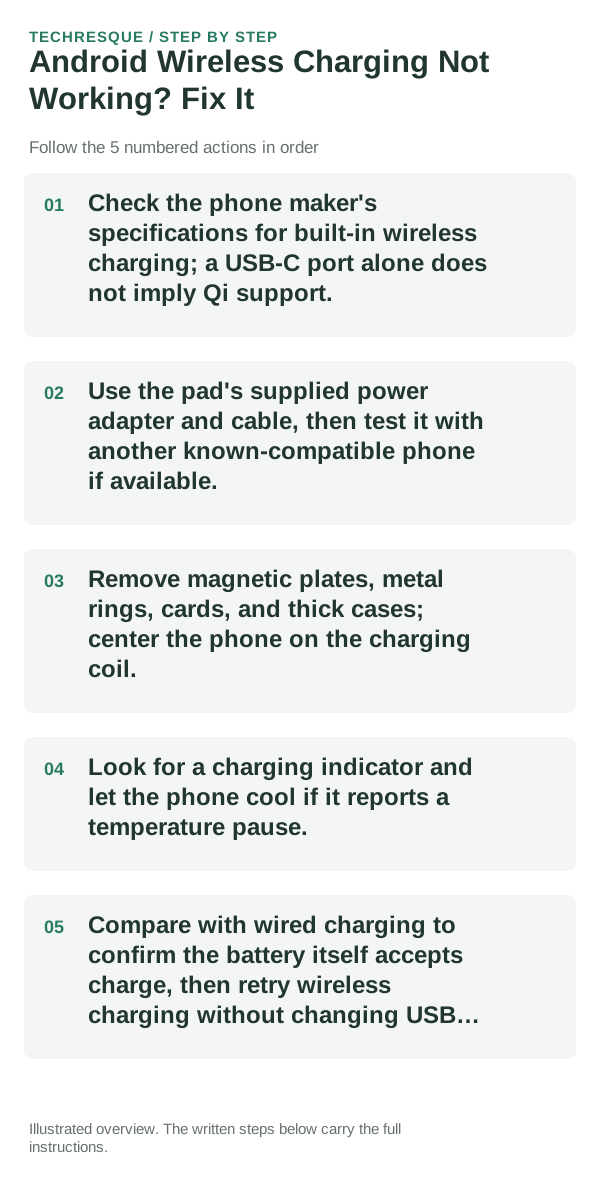
- Check the phone maker's specifications for built-in wireless charging; a USB-C port alone does not imply Qi support.
- Use the pad's supplied power adapter and cable, then test it with another known-compatible phone if available.
- Remove magnetic plates, metal rings, cards, and thick cases; center the phone on the charging coil.
- Look for a charging indicator and let the phone cool if it reports a temperature pause.
- Compare with wired charging to confirm the battery itself accepts charge, then retry wireless charging without changing USB settings.
Isolate the failing layer
A pad that works with another phone but not this model points to compatibility, alignment, or the phone's coil. No device charges on the pad suggests its power supply or pad.
Do not make troubleshooting harder
Do not place coins or metal objects between pad and phone. Stop if the pad or device becomes unusually hot and use only certified compatible equipment.
What success should look like
Confirm the phone displays a wireless charging indicator and the battery percentage rises during a short supervised test.
When to use support or repair
If the phone supports wireless charging but no compatible pad works, contact the phone maker or charging-pad manufacturer with both model numbers.
Control temperature during the test
For a clean comparison, start at a similar battery percentage, let the device cool, use the same charger and keep the screen off for a short interval. Temperature and foreground use can otherwise hide the effect of the change you made.
Frequently asked questions
What should I check first for android wireless charging not working? fix it?
Test the power path first: known-good charger, cable and outlet, then check port debris, temperature and any charge-limit setting before assuming the battery is bad.
Should I reset the whole device immediately?
Usually not. Check usage, heat and charging behavior first. A reset cannot restore a worn battery or identify a failing cell.
How do I know when the fix is real?
Confirm the phone displays a wireless charging indicator and the battery percentage rises during a short supervised test.