Refresh the widget from its own app, confirm the phone is online, then check background data, battery restrictions, and widget-specific refresh settings. Menu names vary by launcher and app.
On Android, menu names vary by maker, so use Settings search when a path in a guide does not match your phone exactly.
Likely causes to check first
A widget depends on both its provider app and the Android home screen. If the app itself shows current information but the widget does not, background limits, permissions, stale widget state, or a launcher refresh can be involved.
The practical troubleshooting sequence
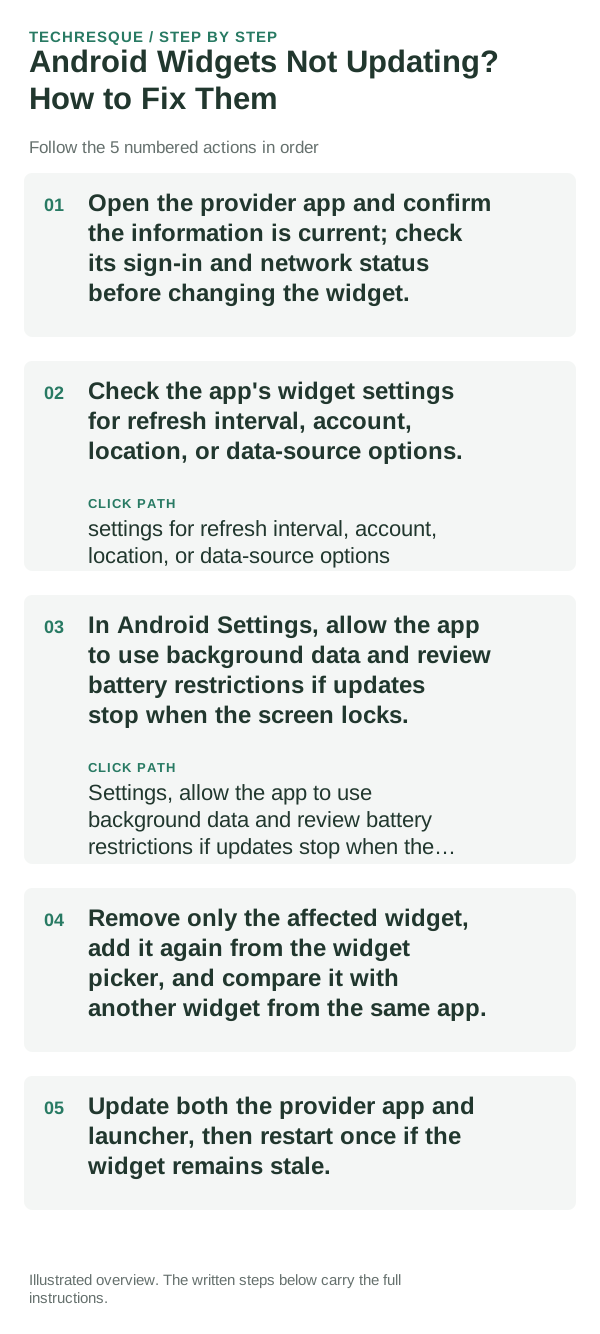
- Open the provider app and confirm the information is current; check its sign-in and network status before changing the widget.
- Check the app's widget settings for refresh interval, account, location, or data-source options.
- In Android Settings, allow the app to use background data and review battery restrictions if updates stop when the screen locks.
- Remove only the affected widget, add it again from the widget picker, and compare it with another widget from the same app.
- Update both the provider app and launcher, then restart once if the widget remains stale.
How to tell which cause applies
Provider app current but widget stale points to widget refresh, background restrictions, or launcher state. App and widget both stale points to the account, data source, or network.
Changes to avoid until you know the cause
Do not clear the provider app's storage or remove its account before checking whether its data is synced. Re-adding a widget may reset its size and configuration.
Retest the original failure
Compare the widget with the app after the phone has been locked and reopened. Confirm the displayed account, location, and time match the provider app.
When to use support or repair
If only one provider's widgets remain stale after the app itself is current, contact that app's support with the Android version and launcher name.
Widgets: Pixel Theme
a pixel-inspired widget app with clock, weather, battery, music, photo, app-shortcut, device-information and productivity widgets plus matching wallpapers. Its Play listing states no data is shared or collected. It is most relevant here when the goal is a coordinated Android Home screen rather than a system-level troubleshooting fix.
View Widgets: Pixel Theme on Google Play →Frequently asked questions
Should I reset the whole device immediately?
Usually not. Undo the last setting or app change first, and back up the layout before any reset.
How do I know when the fix is real?
Compare the widget with the app after the phone has been locked and reopened. Confirm the displayed account, location, and time match the provider app.