Compare the status-bar number with Settings > Battery, then check whether the phone is charging, warm, or reporting a battery-health issue. A percentage is an estimate, not a live capacity measurement.
On Android, menu names vary by maker, so use Settings search when a path in a guide does not match your phone exactly.
Where this problem usually comes from
Android updates the displayed estimate as the battery discharges or charges. A frozen number can be a stale status view, an app overlay, a charging interruption, or a battery sensor or hardware issue.
Troubleshoot from low-risk to high-risk
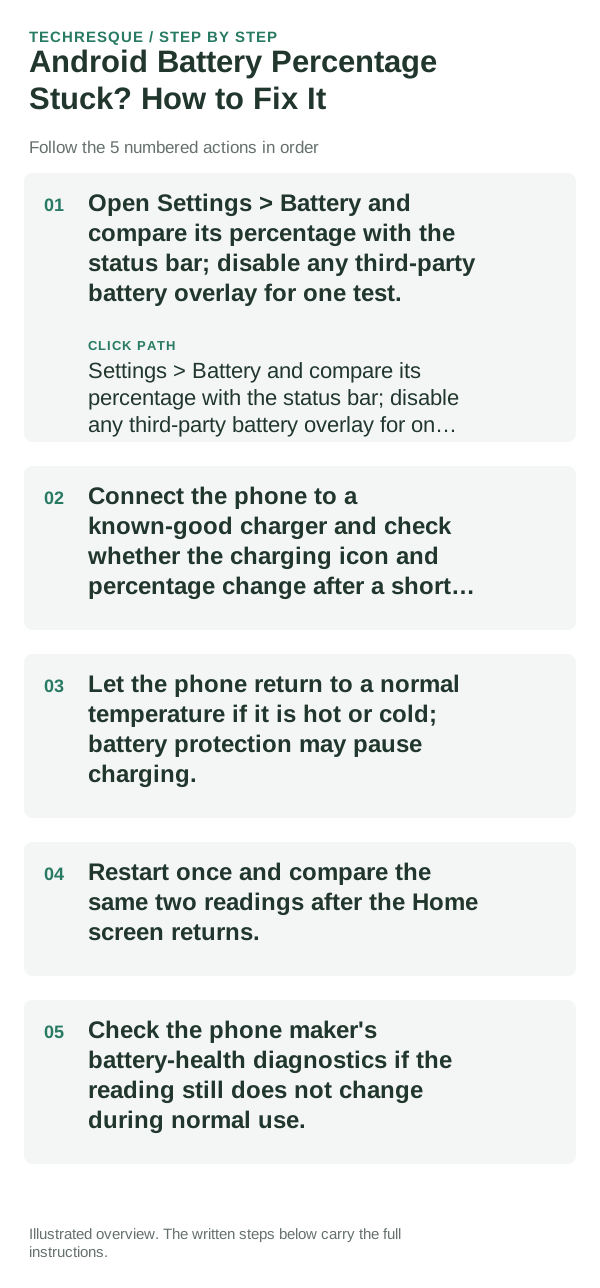
- Open Settings > Battery and compare its percentage with the status bar; disable any third-party battery overlay for one test.
- Connect the phone to a known-good charger and check whether the charging icon and percentage change after a short interval.
- Let the phone return to a normal temperature if it is hot or cold; battery protection may pause charging.
- Restart once and compare the same two readings after the Home screen returns.
- Check the phone maker's battery-health diagnostics if the reading still does not change during normal use.
A quick way to narrow it down
Settings and status bar disagreeing suggests a display or overlay issue. Both stuck while charging points to the charger, battery reporting, or temperature; a phone that shuts off at the same reading needs service.
What not to change first
Do not drain the battery to zero repeatedly to calibrate it, and do not use hidden service menus. Stop using a swollen or unusually hot battery.
Verify before you move on
Confirm the status bar and Settings show a consistent value and that the percentage changes after ordinary use or charging.
When to use support or repair
If the battery reading remains fixed or the phone powers off unexpectedly, contact the phone maker with the model, battery-health result, and charging behavior.
Frequently asked questions
Should I reset the whole device immediately?
Usually not. Check usage, heat and charging behavior first. A reset cannot restore a worn battery or identify a failing cell.
How do I know when the fix is real?
Confirm the status bar and Settings show a consistent value and that the percentage changes after ordinary use or charging.