Open battery usage and compare screen-on use with background use. Then test one normal day on strong Wi-Fi or stronger cellular coverage.
On Android, menu names vary by maker, so use Settings search when a path in a guide does not match your phone exactly.
Start by narrowing the cause
- a recently updated app is using more background time than expected
- weak cellular coverage is keeping the modem active
- high refresh rate, navigation, camera or hotspot use is increasing power draw
- battery capacity has fallen enough that the same workload consumes a larger percentage
- sync, location or backup activity continues after the screen turns off
Troubleshoot from low-risk to high-risk
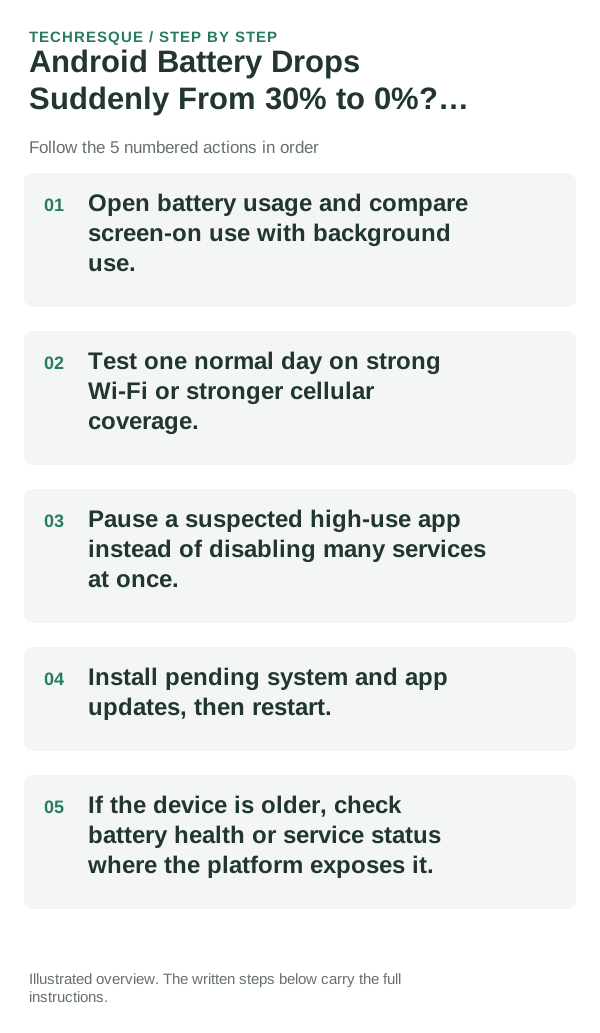
- Open battery usage and compare screen-on use with background use.
- Test one normal day on strong Wi-Fi or stronger cellular coverage.
- Pause a suspected high-use app instead of disabling many services at once.
- Install pending system and app updates, then restart.
- If the device is older, check battery health or service status where the platform exposes it.
How to tell which cause applies
Compare similar charge levels and usage periods. Keep brightness and signal steady, then check idle drain separately from screen-on use.
Confirm that the problem is actually gone
A real fix shows up as lower idle drain over several hours, not just a slower percentage drop for five minutes.
When to use support or repair
Seek service for a swollen battery, unusual heat during light use, damaged port or unexplained shutdowns. Stop charging a swollen device.
Record the phone model, Android version, battery-use screen, charger and whether the phone heats up or shuts down. Do not post its serial or IMEI.
Frequently asked questions
Should I reset the whole device immediately?
Usually not. Check usage, heat and charging behavior first. A reset cannot restore a worn battery or identify a failing cell.
How do I know when the fix is real?
A real fix shows up as lower idle drain over several hours, not just a slower percentage drop for five minutes.
Official sources and further reading
Battery menus and estimates vary by phone and Android version. Compare similar screen use and signal conditions before treating one chart as proof of battery failure.