Open the AirPods battery view on your iPhone and compare the left earbud, right earbud, and case. Charge them in the case, then repeat the same listening task at a similar volume and mode. A low reading on one earbud, case, or both points to different next checks.
Battery readings, optimized charging, and available settings differ by AirPods model and connected-device software.
Start with separate battery readings
Open the case near your iPhone or go to Settings > Bluetooth > the Info button beside your AirPods. Check whether one earbud is much lower than the other and whether the case is low. A single combined percentage can hide which part needs charging.
Compare the same kind of use
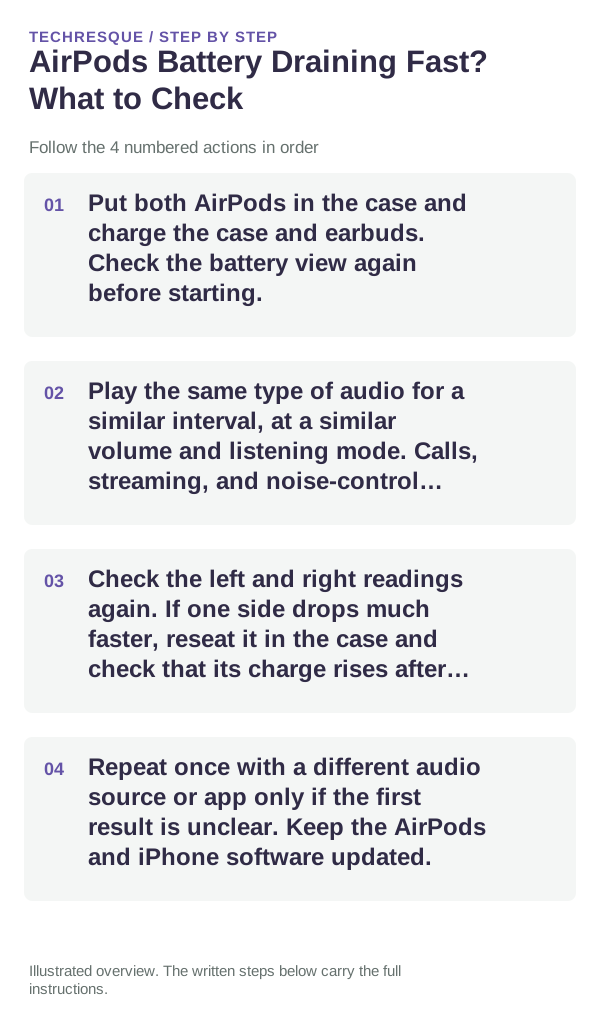
- Put both AirPods in the case and charge the case and earbuds. Check the battery view again before starting.
- Play the same type of audio for a similar interval, at a similar volume and listening mode. Calls, streaming, and noise-control modes are not directly comparable with idle time.
- Check the left and right readings again. If one side drops much faster, reseat it in the case and check that its charge rises after a short charge.
- Repeat once with a different audio source or app only if the first result is unclear. Keep the AirPods and iPhone software updated.
Understand optimized charging
Some AirPods models use Optimized Battery Charging, which can delay a full charge until Apple expects you will need the AirPods. A charge limit or amber status light is not, by itself, evidence that the battery is failing. Check the AirPods battery settings and confirm the model before changing a charge feature.
When one AirPod loses charge sooner
Make sure the earbud sits correctly in its case and check that the case contacts are clean. If the case has power but the same earbud repeatedly fails to gain charge, follow Apple's cleaning guidance and test again. Do not scrape the contacts or put liquid into the case.
When to arrange service
Contact Apple if a known-good case and charging setup still leave one AirPod unable to charge, battery readings remain inconsistent after repeated checks, or the case becomes unusually hot or damaged. Note the AirPods generation and which battery reading changes; keep serial numbers private.
Frequently asked questions
Where can I see each AirPod's battery?
Open the case near a paired iPhone or iPad, or open Settings > Bluetooth and tap the Info button beside your AirPods. The display can differ by device and model.
Can Optimized Battery Charging make the battery look stuck?
It can delay charging to a full level on supported models. Check the AirPods battery settings and model-specific status before treating a pause as a fault.
What if only one AirPod drains quickly?
Check that it seats and charges in the case, clean the case according to Apple guidance, then compare the same listening task again. Seek service if the same side still fails.
Official sources and further reading
Charge behavior and optimized charging vary by AirPods generation. Compare left, right, and case readings separately.