An Android PDF may fail to open because the file is incomplete, password-protected, cloud-only, or unsupported by the chosen viewer. Test the file independently from the app. Check the file size and finish downloading it locally before opening. Try a second trusted PDF reader or the source app; enter a password only if you obtained it from the document owner.
Reader controls and DRM support depend on the app and publisher; keep the source file unchanged and test a trusted local copy.
Where this problem usually comes from
An Android PDF may fail to open because the file is incomplete, password-protected, cloud-only, or unsupported by the chosen viewer. Test the file independently from the app.
- The download or cloud sync is incomplete.
- The PDF is encrypted or requires a password.
- The selected app does not support the file or its embedded features.
- The file manager cannot access its current provider/profile.
- The file is damaged or has a misleading extension.
The practical troubleshooting sequence
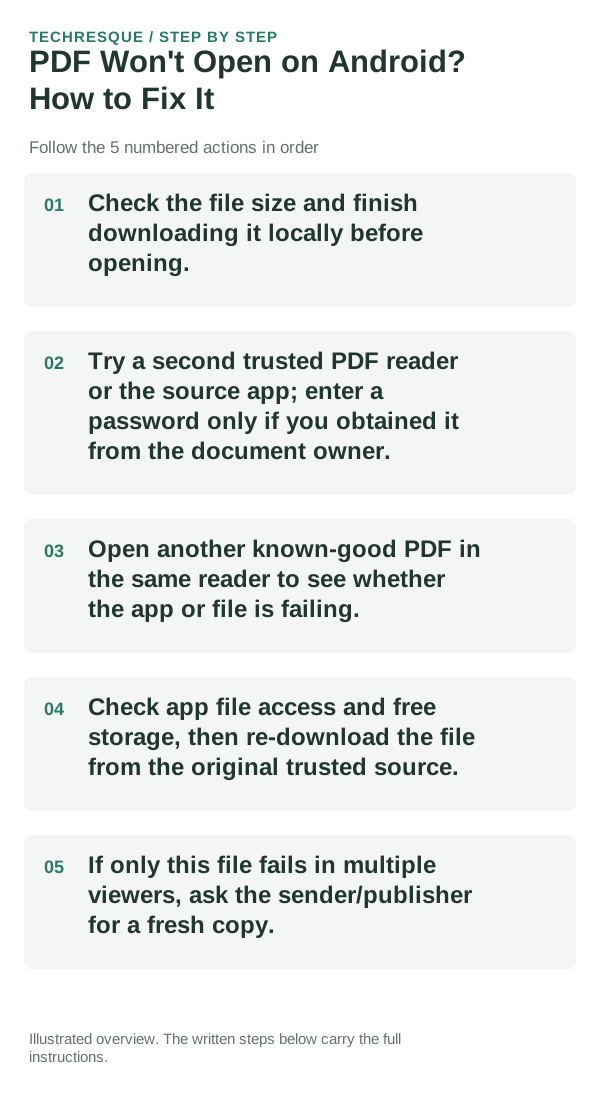
- Check the file size and finish downloading it locally before opening.
- Try a second trusted PDF reader or the source app; enter a password only if you obtained it from the document owner.
- Open another known-good PDF in the same reader to see whether the app or file is failing.
- Check app file access and free storage, then re-download the file from the original trusted source.
- If only this file fails in multiple viewers, ask the sender/publisher for a fresh copy.
Use a clean A/B test
Open a known-good local PDF in the same app, then retry the affected file after its download completes.
Use a copy of the same PDF or EPUB in the same reader. If it works elsewhere, focus on reader settings rather than the original file.
Do not make troubleshooting harder
- Do not remove PDF protection or upload private files to unknown converter sites.
How to confirm the fix
Open a known-good local PDF in the same app, then retry the affected file after its download completes.
When to use support or repair
If one file fails in multiple readers but other files open, request a clean copy. If one reader fails for many files, contact its developer.
Record reader app/version, device/OS, file type and the action that fails. Test a copy; do not share private documents.
Readream fits naturally here
an offline Android EPUB and PDF reader with local library management, reading progress, search, bookmarks, highlights, notes, adjustable reading layout and offline text-to-speech. Its Play listing states no ads, no registration and no developer-operated analytics.
View Readream on Google Play →Frequently asked questions
What should I check first?
Check the file size and finish downloading it locally before opening. Try a second trusted PDF reader or the source app; enter a password only if you obtained it from the document owner. Open another known-good PDF in the same reader to see whether the app or file is failing.
Should I reset the whole device immediately?
Usually not. Test a copy in another reader first. If one file fails, check its access, password or integrity before resetting the app.
How do I know when the fix is real?
Open a known-good local PDF in the same app, then retry the affected file after its download completes.
Official sources and further reading
Reader controls and sync options depend on the app and file type. Test the same file in another reader before changing the original.