An EPUB reader can fail because the file is incomplete, DRM-protected, or unsupported by the chosen app. First establish whether one file or every EPUB is affected. Check the file size and download status, then open a second EPUB from a trusted source in the same reader. Open the affected book in the store or reading app that sold it and sign in to the purchasing account.
Reader controls and DRM support depend on the app and publisher; keep the source file unchanged and test a trusted local copy.
Why this can happen
An EPUB reader can fail because the file is incomplete, DRM-protected, or unsupported by the chosen app. First establish whether one file or every EPUB is affected.
- The download is incomplete or the EPUB archive is damaged.
- The book uses DRM tied to another store/account.
- The reader does not support the book's format or accessibility features.
- The file is still a cloud placeholder or is inaccessible in the current profile.
- The file extension is misleading or storage is unavailable.
Work through these checks
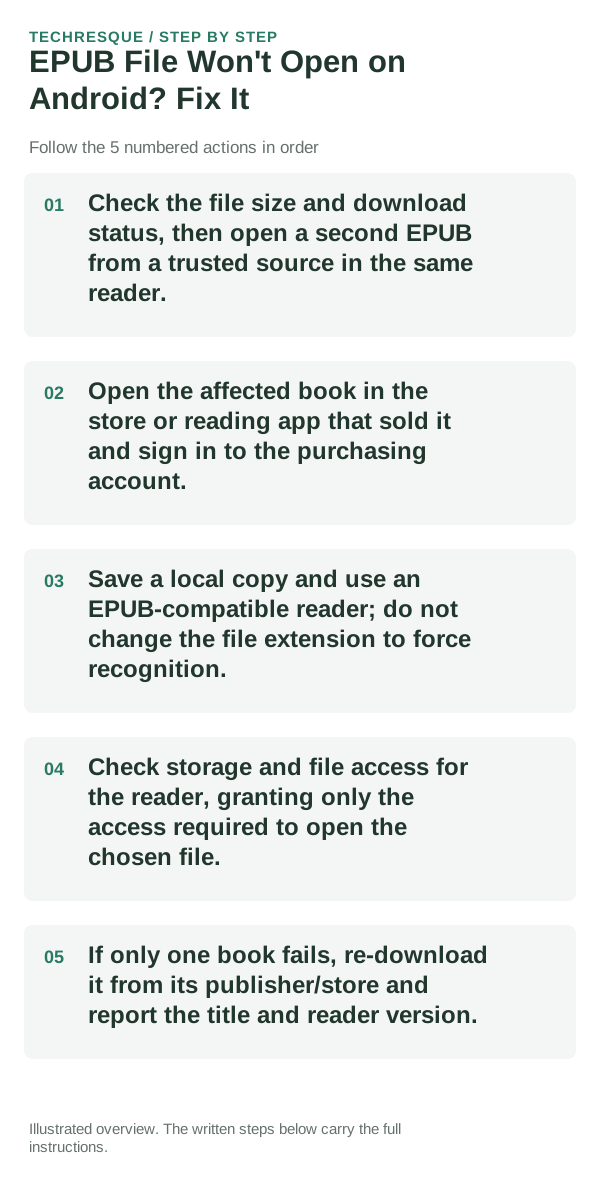
- Check the file size and download status, then open a second EPUB from a trusted source in the same reader.
- Open the affected book in the store or reading app that sold it and sign in to the purchasing account.
- Save a local copy and use an EPUB-compatible reader; do not change the file extension to force recognition.
- Check storage and file access for the reader, granting only the access required to open the chosen file.
- If only one book fails, re-download it from its publisher/store and report the title and reader version.
Isolate the failing layer
Compare one known-good local EPUB with the affected file in the same app. DRM and supported features depend on the publisher and reader.
Use a copy of the same PDF or EPUB in the same reader. If it works elsewhere, focus on reader settings rather than the original file.
Avoid these common mistakes
- Do not strip DRM or download copies from unknown sites.
- Keep purchase/account details private in support screenshots.
What success should look like
Compare one known-good local EPUB with the affected file in the same app. DRM and supported features depend on the publisher and reader.
When to use support or repair
If one file fails in multiple readers but other files open, request a clean copy. If one reader fails for many files, contact its developer.
Record reader app/version, device/OS, file type and the action that fails. Test a copy; do not share private documents.
Readream fits naturally here
an offline Android EPUB and PDF reader with local library management, reading progress, search, bookmarks, highlights, notes, adjustable reading layout and offline text-to-speech. Its Play listing states no ads, no registration and no developer-operated analytics.
View Readream on Google Play →Frequently asked questions
What should I check first?
Check the file size and download status, then open a second EPUB from a trusted source in the same reader. Open the affected book in the store or reading app that sold it and sign in to the purchasing account. Save a local copy and use an EPUB-compatible reader; do not change the file extension to force recognition.
Should I reset the whole device immediately?
Usually not. Test a copy in another reader first. If one file fails, check its access, password or integrity before resetting the app.
How do I know when the fix is real?
Compare one known-good local EPUB with the affected file in the same app. DRM and supported features depend on the publisher and reader.
Official sources and further reading
Reader controls and sync options depend on the app and file type. Test the same file in another reader before changing the original.