Home-screen icons can appear missing or resized because the launcher layout, display scale, app drawer, or default home app changed. The app itself may still be installed. Search the app drawer or Settings > Apps to confirm the app is installed before reinstalling it. Check Home screen grid, icon size, display size, and simple mode; change one value and compare.
Android Settings labels differ across Pixel, Samsung, and other brands; search Settings for the named control and change one item at a time.
Likely causes to check first
Home-screen icons can appear missing or resized because the launcher layout, display scale, app drawer, or default home app changed. The app itself may still be installed.
- Display size or launcher grid/icon-size settings changed.
- An icon was removed from the Home screen but the app remains in the drawer.
- A launcher update reset layout or changed its default role.
- A simple/easy mode or work profile hides selected apps.
- Clearing launcher data would erase the layout without fixing the underlying setting.
Use this order so you can identify the cause
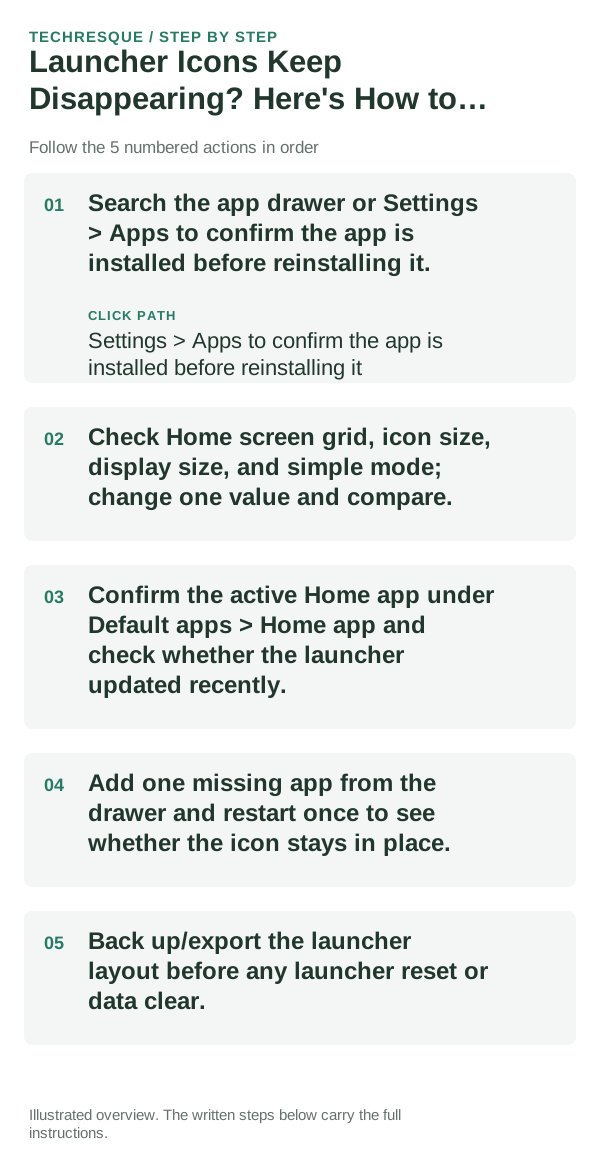
- Search the app drawer or Settings > Apps to confirm the app is installed before reinstalling it.
- Check Home screen grid, icon size, display size, and simple mode; change one value and compare.
- Confirm the active Home app under Default apps > Home app and check whether the launcher updated recently.
- Add one missing app from the drawer and restart once to see whether the icon stays in place.
- Back up/export the launcher layout before any launcher reset or data clear.
What each result tells you
Test one icon after checking the active launcher and display scale; note the original grid so the result can be reversed.
Change one Home-screen element at a time and repeat the same gesture after a restart. Keep the previous launcher installed.
Changes to avoid until you know the cause
- Do not clear launcher storage before exporting the layout.
- Do not reinstall an app until Settings confirms it is absent.
Confirm that the problem is actually gone
Test one icon after checking the active launcher and display scale; note the original grid so the result can be reversed.
When to use support or repair
If the issue remains in the stock launcher after restart, share the launcher version and steps; keep the only working Home app installed.
Record launcher name/version, phone model, Android version, selected Home app and the gesture or widget that fails.
Hysoft app: Minimalistic: Launcher
For users who want a clean, distraction-light Android Home screen, Minimalistic: Launcher fits naturally here: a focused Android launcher with a clean monochrome Home screen, fast app search, favourites and folders, focus profiles, mindful launch delays, optional app blocking, and local backup. Its Play listing states that it has no advertisements, analytics, trackers, accounts or cloud sync.
View Minimalistic: Launcher on Google Play →Frequently asked questions
What should I check first?
Search the app drawer or Settings > Apps to confirm the app is installed before reinstalling it. Check Home screen grid, icon size, display size, and simple mode; change one value and compare. Confirm the active Home app under Default apps > Home app and check whether the launcher updated recently.
Should I reset the whole device immediately?
Usually not. Undo the last Home-screen or gesture change and keep the previous launcher installed before considering a device reset.
How do I know when the fix is real?
Test one icon after checking the active launcher and display scale; note the original grid so the result can be reversed.
Official sources and further reading
- Lawnchair — Official GitHub repository
- Niagara Launcher — Help center
- Smart Launcher — Official site
- Nova Launcher — Official site
Launcher gesture and widget support depends on the Android version and phone maker. Keep your current launcher until the new layout is stable.