Make the phone hotspot visible, then compare its broadcast band and security mode with the laptop's Wi-Fi capabilities. Test a second client before changing Windows drivers.
Why this can happen
A laptop may not list a hotspot because the phone is broadcasting on a band the Wi-Fi adapter cannot use, the network name is hidden, or the hotspot is off or timed out. A saved old profile can also point to a previous password.
Troubleshoot from low-risk to high-risk
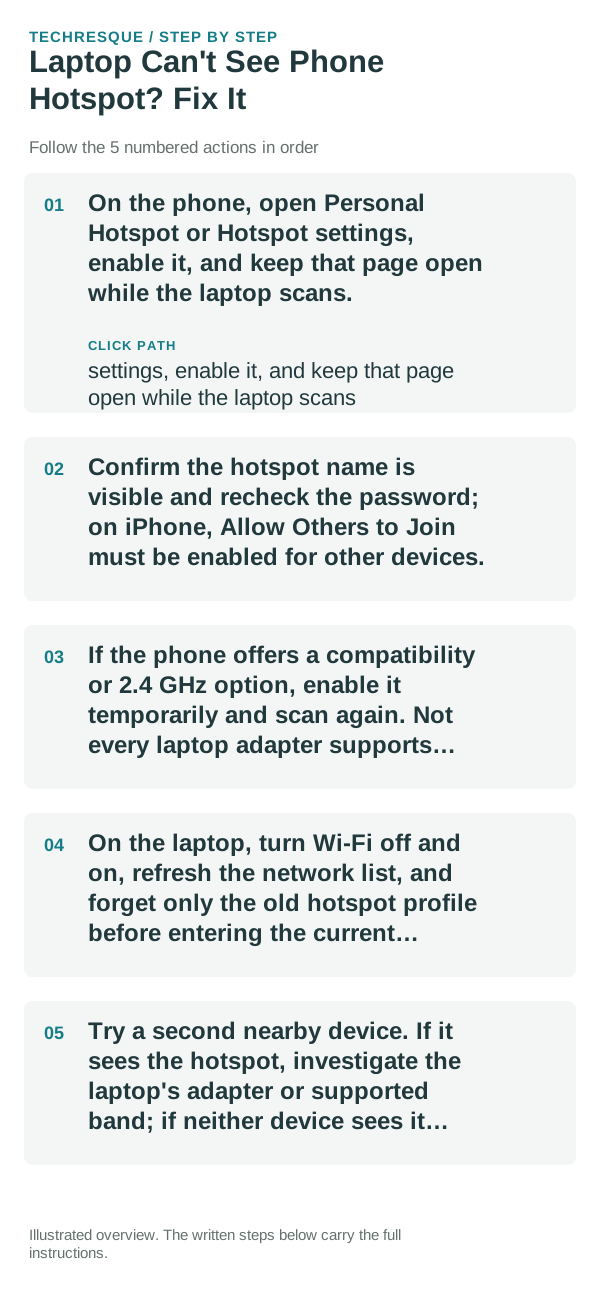
- On the phone, open Personal Hotspot or Hotspot settings, enable it, and keep that page open while the laptop scans.
- Confirm the hotspot name is visible and recheck the password; on iPhone, Allow Others to Join must be enabled for other devices.
- If the phone offers a compatibility or 2.4 GHz option, enable it temporarily and scan again. Not every laptop adapter supports every band.
- On the laptop, turn Wi-Fi off and on, refresh the network list, and forget only the old hotspot profile before entering the current password.
- Try a second nearby device. If it sees the hotspot, investigate the laptop's adapter or supported band; if neither device sees it, focus on the phone.
How to tell which cause applies
Hotspot visible to another device but not the laptop points to band compatibility, the laptop adapter, or a stale saved profile. Invisible to every client points to the phone's broadcast, timeout, or carrier settings.
Do not reset network settings on both devices at once; that erases saved network details and removes the useful comparison. Use the hotspot's default security setting unless the device maker documents another choice.
Confirm that the problem is actually gone
Confirm the laptop sees the current hotspot name, connects with the current password, and can load a page. Turn off the temporary compatibility setting if it is not needed.
When to use support or repair
If no client can see an enabled hotspot after a restart, ask the carrier or phone maker whether hotspot broadcasting is restricted on that plan or device.
Frequently asked questions
Should I reset the whole device immediately?
Usually not. Compare another device on the same network and this device on a second network before resetting equipment.
How do I know when the fix is real?
Confirm the laptop sees the current hotspot name, connects with the current password, and can load a page. Turn off the temporary compatibility setting if it is not needed.