Background activity can help messages, backups, and widgets arrive on time, but it also uses battery and data. Identify the specific app and task before restricting it. Check Battery usage and mobile-data usage for the same time window, then identify the specific app. Open that app's sync, upload, or location controls and disable only the background task you do not need.
Battery-health menus and available measurements differ by model and software. Use the phone maker's diagnostic and separate long-term capacity from today's charge and app usage.
Before you start
Identify the exact phone model and open its built-in battery screen. Battery-health data, usage totals, and charging status are different measurements; do not treat one as a substitute for another.
A reversible workflow
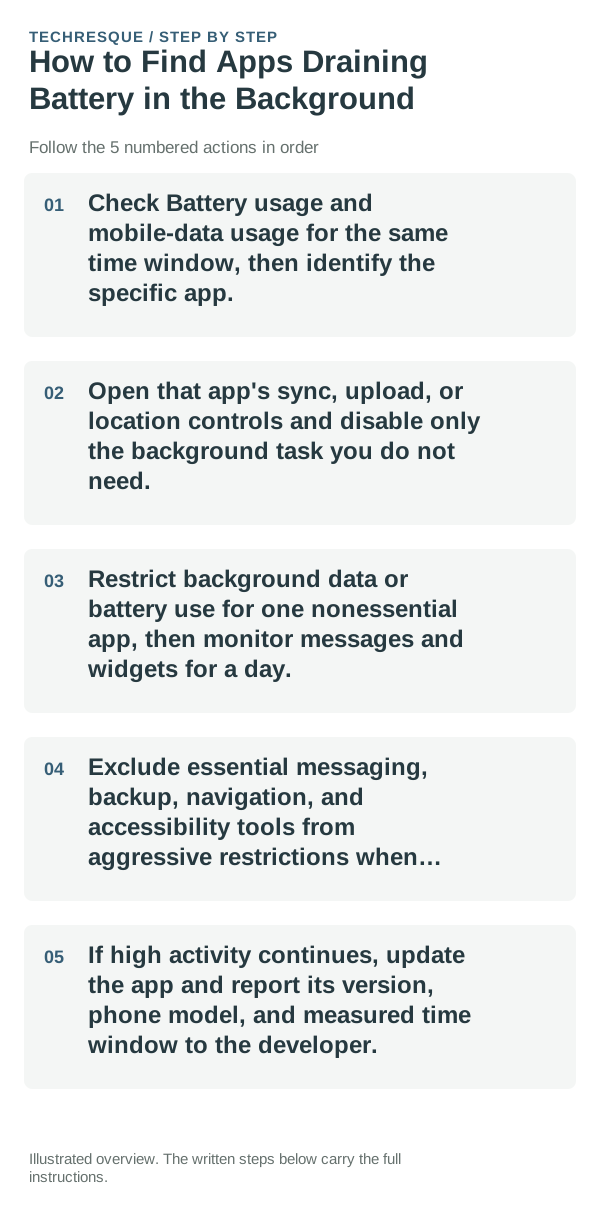
- Check Battery usage and mobile-data usage for the same time window, then identify the specific app.
- Open that app's sync, upload, or location controls and disable only the background task you do not need.
- Restrict background data or battery use for one nonessential app, then monitor messages and widgets for a day.
- Exclude essential messaging, backup, navigation, and accessibility tools from aggressive restrictions when timely behavior matters.
- If high activity continues, update the app and report its version, phone model, and measured time window to the developer.
How to check the result
Read the model's built-in battery diagnostic and any service message. For usage, compare similar days and workloads; a single battery percentage or short observation cannot establish battery health.
If the option is missing
Not every Android model reports a health percentage or cycle count. Search Settings and the manufacturer's diagnostic app; if the phone does not expose a metric, do not infer it from the current charge level.
Keep the change easy to undo
Battery-health checks are read-only. If you change battery or background settings while investigating, note the original value and restore it if notifications or performance change unexpectedly.
What to do if it still fails
If the built-in diagnostic reports service or runtime has fallen sharply under comparable use, check the manufacturer's repair guidance for the exact model. Stop using a swollen or unusually hot battery and seek service.
Separate battery use from battery-health guesses
Look at the device’s battery-usage screen over a meaningful window rather than judging from a few minutes. A single app dominating active or background use points to a different fix than high idle drain with the screen off.
Charging speed is also conditional: charger capability, cable quality, temperature, battery level and device limits all affect the rate. Test with known-good hardware before assuming the battery itself is the problem.
Battery percentage is an estimate, so one sudden drop does not automatically prove the cell is damaged. Heat, weak signal, display time, background activity and a recent update can all change short-term drain.
| What you observe | What it points to | Best next check |
|---|---|---|
| Charging slows when warm or near full | Thermal or battery-protection behavior | Let the device cool and retest with known-good power gear |
| Drain mostly while screen is on | Display, radios or heavy foreground apps | Compare brightness, signal and active apps |
| Drain while idle | Background work, sync or poor signal | Check background usage and overnight conditions |
Before you make a bigger change
Before installing a battery-monitoring utility or replacing a battery, check the phone maker's own diagnostic and service threshold. Third-party estimates are not definitive capacity measurements.
Frequently asked questions
Why is there no battery-health percentage?
Many Android models do not expose one in Settings. Use the manufacturer's diagnostic if available; the charge percentage only reports current charge, not maximum capacity.
Does fast battery drain prove the battery is worn out?
No. Screen use, weak signal, background sync, heat, and recent updates can change runtime. Compare battery use over similar periods before concluding capacity has fallen.
When should I get the battery checked?
Use the exact model's manufacturer diagnostic and service guidance. A swollen, leaking, or unusually hot battery needs professional attention; stop charging it.
Official sources and further reading
Repeat the same action after one change, and note the result.