Compare the same video with wired audio and a second Bluetooth headset. Bluetooth delay depends on the phone, headset codec, and app; pairing again helps only if the connection is the cause.
Where this problem usually comes from
Wireless audio is encoded, transmitted, and buffered before playback. Video apps may compensate automatically, while games and live instruments expose latency more clearly.
The practical troubleshooting sequence
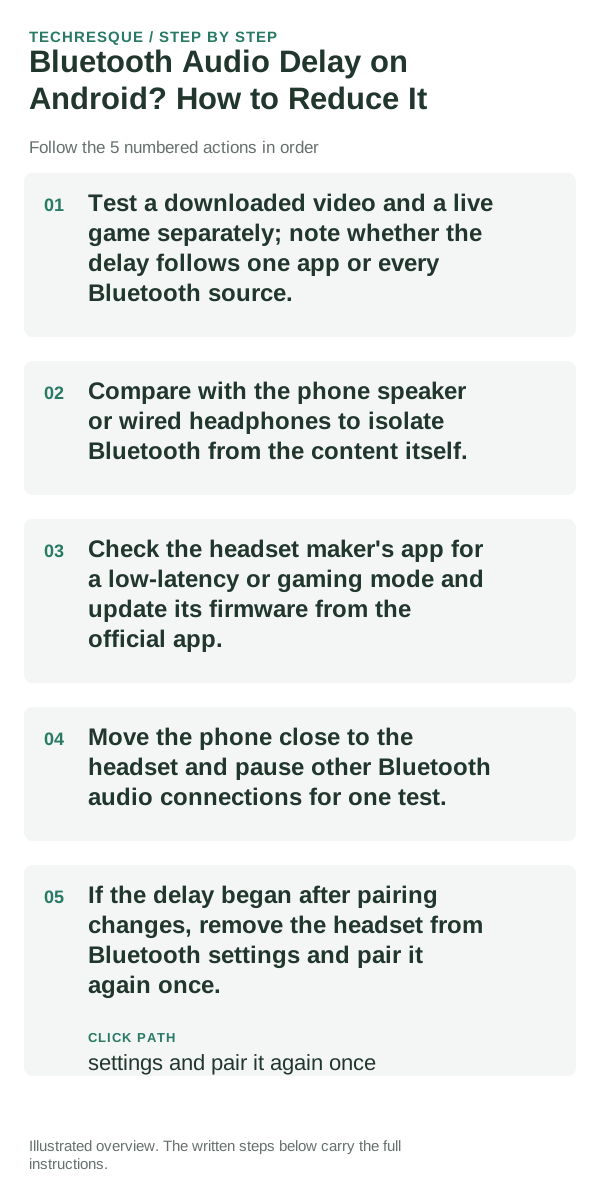
- Test a downloaded video and a live game separately; note whether the delay follows one app or every Bluetooth source.
- Compare with the phone speaker or wired headphones to isolate Bluetooth from the content itself.
- Check the headset maker's app for a low-latency or gaming mode and update its firmware from the official app.
- Move the phone close to the headset and pause other Bluetooth audio connections for one test.
- If the delay began after pairing changes, remove the headset from Bluetooth settings and pair it again once.
How to tell which cause applies
Delay only in one streaming app points to its buffering or sync control. Similar delay across apps but not wired audio points to the Bluetooth headset, codec, or phone pairing.
What not to change first
Developer codec menus are not a reliable universal fix and may make the connection unstable. Do not install unknown Bluetooth tuning apps.
Retest the original failure
Repeat the same video and action after one change; use lip sync as well as the app's audio/video sync option if it has one.
When to use support or repair
If delay persists on another supported headset, ask the phone maker about its Bluetooth version and the headset maker about low-latency modes.
Pairing and audio are separate tests
First prove that the devices can pair. Then prove that the intended profile—media, calls, microphone or input—works. Solving the wrong layer is why many Bluetooth fixes appear inconsistent.
Confirm the active audio path before changing drivers or apps
Bluetooth audio adds another layer: call audio and media audio can use different profiles, and multipoint devices can silently switch to another phone or computer. Disconnect extra devices during testing.
For microphones and cameras, permission can be granted at both the operating-system level and inside the app or browser. A correct hardware connection will still fail if either permission layer blocks access.
A device can be paired without being the active input or output. Check the selected microphone, speaker or Bluetooth profile first, then reproduce the problem in a second app so you know whether the fault follows the accessory or only one application.
| What you observe | What it points to | Best next check |
|---|---|---|
| Works in one app only | App permission or app-specific routing | Compare permissions and selected device |
| Paired but silent | Wrong output/profile or another device took focus | Select output manually and disconnect extras |
| Cuts out or crackles | Signal, codec, driver or hardware path | Test closer, wired, or with another known-good device |
Frequently asked questions
What should I check first for bluetooth audio delay on android? how to reduce it?
Disconnect the accessory from other devices, forget the pairing on both sides, pair again, then confirm the correct audio/input profile is selected.
Should I reset the whole device immediately?
Usually not. Recheck charge, distance and the current pairing first; remove only the affected pairing before resetting devices.
How do I know when the fix is real?
Bluetooth audio adds another layer: call audio and media audio can use different profiles, and multipoint devices can silently switch to another phone or computer. Disconnect extra devices during testing.