Restart the phone, confirm the active SIM/eSIM line, then reseat a physical SIM or re-enable the eSIM profile. If the same SIM fails in another compatible phone, contact the carrier rather than resetting the device.
On Android, menu names vary by maker, so use Settings search when a path in a guide does not match your phone exactly.
Likely causes to check first
- the SIM is not seated or the tray is damaged
- the SIM is inactive, blocked or provisioned incorrectly
- the phone is reading the card intermittently
- an eSIM profile is disabled or not fully activated
- the device is carrier-locked or incompatible with the line
The practical troubleshooting sequence
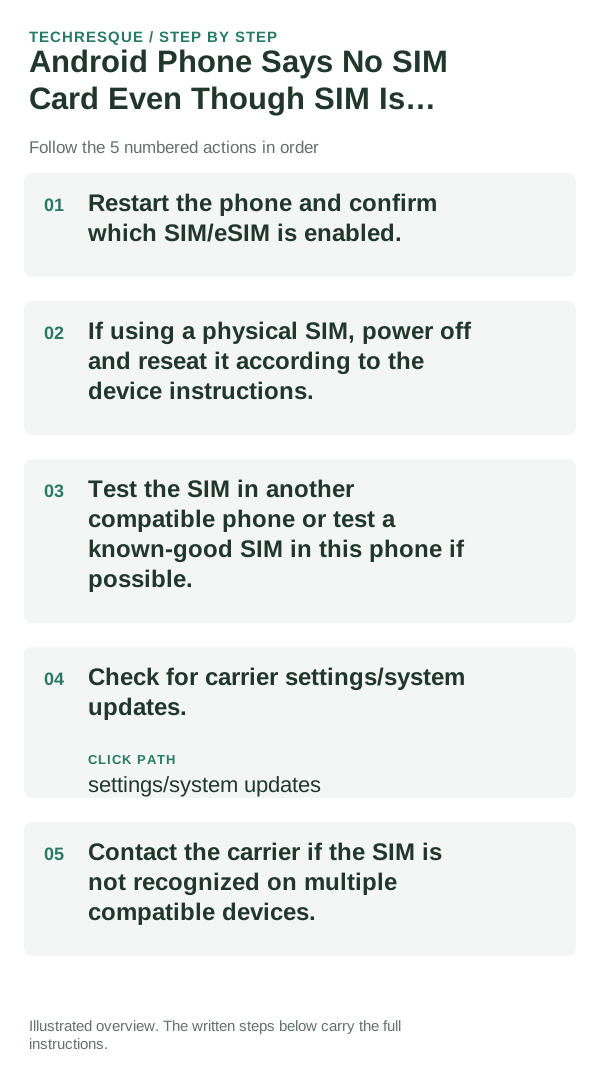
- Restart the phone and confirm which SIM/eSIM is enabled.
- If using a physical SIM, power off and reseat it according to the device instructions.
- Test the SIM in another compatible phone or test a known-good SIM in this phone if possible.
- Check for carrier settings/system updates.
- Contact the carrier if the SIM is not recognized on multiple compatible devices.
What each result tells you
What not to change first
- Do not wipe network settings before checking whether the carrier line is active.
- Do not repeatedly insert/remove a SIM while the device is powered if the maker recommends powering off.
- Do not assume “No SIM” is an APN problem; APN settings matter after the SIM is recognized.
- Do not factory-reset before cross-testing the SIM and line.
How to confirm the fix
A healthy line should stay registered through a restart and a short period of normal use.
When to use support or repair
Contact the carrier when the line/SIM fails in more than one compatible device, activation is incomplete, or the account is barred. Contact the device maker when multiple known-good SIMs fail only in this phone.
Note the phone model, Android version, affected app or setting, exact message and whether restarting or Safe Mode changes the result.
Frequently asked questions
What should I check first for android phone says no sim card even though sim is inserted?
Restart the phone, confirm the active SIM/eSIM line, then reseat a physical SIM or re-enable the eSIM profile. If the same SIM fails in another compatible phone, contact the carrier rather than resetting the device.
Should I reset the whole device immediately?
Usually not. Test the affected feature with a built-in tool or second app first. Back up local-only files before clearing app storage or considering a factory reset.
How do I know when the fix is real?
A healthy line should stay registered through a restart and a short period of normal use.