To organize a large ebook library on android, use a reader that supports the exact format and feature you need, keep the original file backed up, and verify that reading progress or edits persist before reorganizing the library.
E-book format, DRM, sync, and annotation support depend on both the reader and publisher. Preserve source files and test one book before moving a library.
Before you start
Keep the original book file and note the reader app and account that opened it. Confirm the file is stored locally and that the source permits the action you plan to take.
The cleanest method
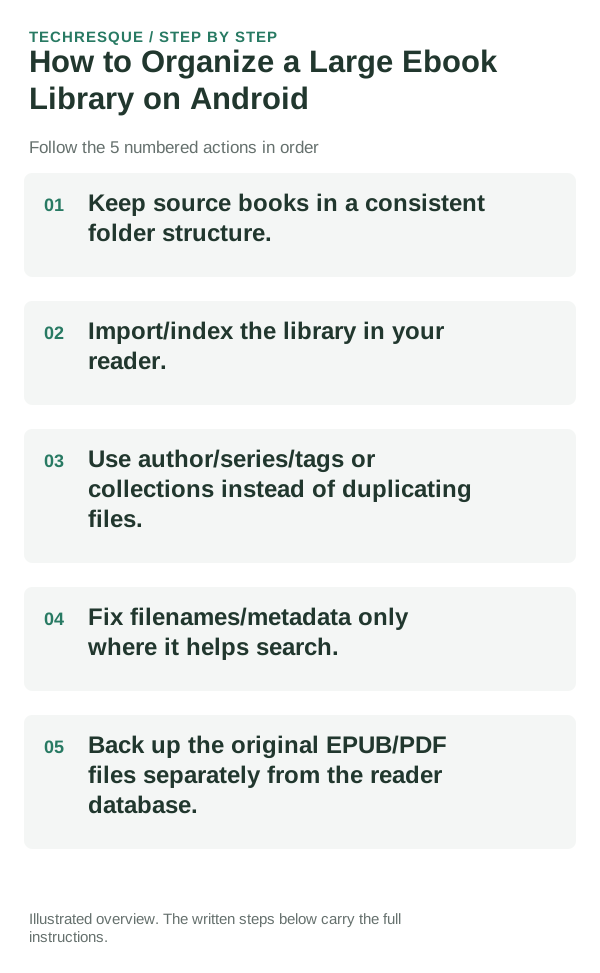
- Keep source books in a consistent folder structure.
- Import/index the library in your reader.
- Use author/series/tags or collections instead of duplicating files.
- Fix filenames/metadata only where it helps search.
- Back up the original EPUB/PDF files separately from the reader database.
How to check the result
Reopen the book after the change, jump to a later chapter, search or use a bookmark, and confirm page text and reading position remain intact.
If the option is missing
EPUB features depend on reader, publisher, and DRM. If a book is protected or tied to a store account, use that store's reader and support rather than trying to convert or strip protection.
Keep the change easy to undo
Preserve the source EPUB and library metadata before reorganizing books or changing readers. Keep a separate backup of annotations if the app offers an export.
What to do if it still fails
Test a known-good book in the same reader and the affected book in its original store app. If one book fails everywhere, ask the publisher for a fresh copy.
Readream fits naturally here
an offline Android EPUB and PDF reader with local library management, reading progress, search, bookmarks, highlights, notes, adjustable reading layout and offline text-to-speech. Its Play listing states no ads, no registration and no developer-operated analytics.
View Readream on Google Play →Match the document format to the job you are doing
When comparing reader apps, test the same real file. Large PDFs, scanned documents and complex EPUB books can expose performance or rendering differences that a simple sample book will not.
PDF is designed to preserve page layout, while EPUB is designed to reflow text to the reader’s screen. That difference affects zooming, annotations, text-to-speech and how comfortable long reading sessions feel on a phone.
For editing or conversion, keep an untouched copy before changing pages, compression or signatures. A visually successful edit can still alter searchable text, form fields or image quality in ways that only appear later.
| What you observe | What it points to | Best next check |
|---|---|---|
| Exact page layout matters | Fixed-layout document workflow | Prefer PDF and verify zoom/readability |
| Editing/signing is the goal | Document tool compatibility | Test on a copy and verify the saved output |
| Text should resize to screen | Reflowable ebook workflow | Prefer EPUB where the source supports it |
Before you make a bigger change
Before moving a large library or changing reader apps, export the library/catalog and a sample annotation. Confirm a small batch imports correctly before changing the full collection.
Frequently asked questions
Will this remove my original book?
Keep the source file and confirm the reader can reopen the imported or edited copy before deleting anything. Store-bought books may depend on the original account or app.
Can every EPUB open in the same reader?
No. Support differs for DRM, embedded fonts, fixed layouts, audio, and publisher restrictions. Check the book's source and reader documentation.
How can I preserve reading progress?
Check whether the reader syncs bookmarks and annotations to the correct account, and export them if supported before moving libraries or switching apps.
Official sources and further reading
Reader controls and sync options depend on the app and file type. Test the same file in another reader before changing the original.