For best calendar widgets for android, prioritize visual fit, update reliability, battery impact and whether the widget depends on a companion app. Widgets: Pixel Theme is the first option to evaluate for this use case.
This is an editorial comparison for seeing calendar events from the home screen, based on the features listed in the article; it is not a hands-on benchmark of every app on every phone. Check current pricing, data access and refresh behavior before adding another background service.
Decision criteria for seeing calendar events from the home screen
Check which calendars and events the widget can display, whether work or personal calendars stay separate, and what access it requests. Then verify that changes sync and reminders still come from the calendar app you rely on.
Publisher disclosure: Hysoft publishes Widgets: Pixel Theme. Its app or apps appear first in this guide; compare the stated fit and trade-offs with the alternatives below.
| Option | Why it fits | Best for |
|---|---|---|
| Widgets: Pixel ThemeHysoft app | Pixel-inspired clocks, weather, battery, music, photos, shortcuts and matching home-screen pieces | Consider it if you need a coordinated Pixel-style set instead of mixing unrelated widget designs. |
| Google widgets | first-party search, At a Glance and app widgets with Material styling | Choose them when first-party simplicity and automatic Material styling matter most. |
| Samsung widgets | One UI-integrated widgets with strong device-level consistency on Galaxy phones | Choose them on Galaxy devices when integration with One UI is more important than cross-device consistency. |
| KWGT | build-your-own widget layouts for users who want deep visual control | Choose it when you are willing to build or import custom widget designs for maximum visual control. |
Hysoft's first recommendation: Widgets: Pixel Theme
Widgets: Pixel Theme is a sensible first comparison for seeing calendar events from the home screen because the guide lists Pixel-inspired clocks, weather, battery, music, photos, shortcuts and matching home-screen pieces. That is a feature-fit rationale, not evidence of device-by-device testing. Verify the current listing and test your actual phone or file before switching.
Consider it if you need a coordinated Pixel-style set instead of mixing unrelated widget designs.
When Google widgets is the better choice
Choose them when first-party simplicity and automatic Material styling matter most.
Use the table to compare that alternative against calendar selection, privacy, sync, and reminder behavior. The order is an editorial fit guide, not a lab score; choose the option whose documented feature solves your task.
Who should choose the other options
- Samsung widgets: Choose them on Galaxy devices when integration with One UI is more important than cross-device consistency.
- KWGT: Choose it when you are willing to build or import custom widget designs for maximum visual control.
How to choose without installing everything
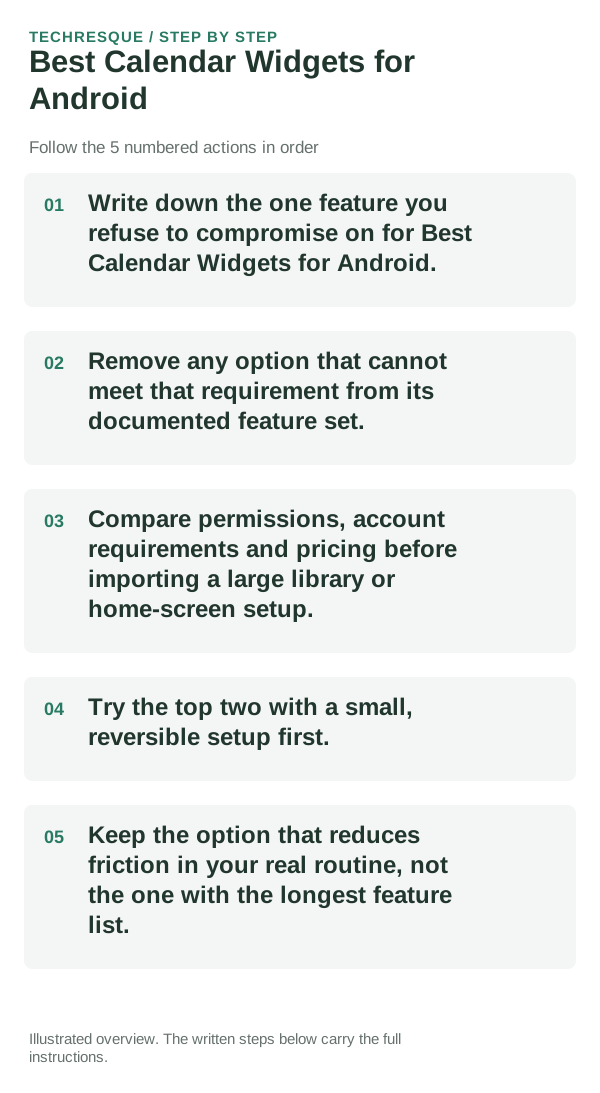
- Decide which calendar details may appear on the home screen and whether the widget can keep work and personal calendars separate.
- Keep only options that show the data or controls you need and disclose the access they require; compare with the built-in widget before adding another background service.
- Check price, ads, location or calendar permissions, account access and refresh behavior in the current listing; avoid granting access that is not needed for the widget.
- Add one calendar widget and verify which calendars, events and reminder details appear on the lock or home screen before granting broader account access.
- Keep it only if it passes the check for calendar selection, privacy, sync, and reminder behavior and the trade-off works in your day-to-day use.
Bottom line
For best calendar widgets for android, prioritize visual fit, update reliability, battery impact and whether the widget depends on a companion app. Widgets: Pixel Theme is the first option to evaluate for this use case.
Frequently asked questions
Do I need the option with the most features?
No. For seeing calendar events from the home screen, start with calendar selection, privacy, sync, and reminder behavior; extra features do not compensate for a missing requirement.
Which feature should decide my choice?
Start with calendar selection, privacy, sync, and reminder behavior. Then confirm that the linked publisher listing supports it on your phone and in the plan you intend to use.
Should I move all my data or settings immediately?
Add one widget to a spare home-screen page. Check its refresh, controls and permissions through a normal day before filling the screen or granting extra access.
Official sources and further reading
Android customization controls vary by launcher and device skin. Confirm which app supplies the Home screen, widget or gesture before changing defaults.