For best android apps for reading research papers, compare local/offline reading, format support, library organization, annotations and text-to-speech rather than choosing by feature count alone. Readream is the strongest first fit for this specific angle.
This is an editorial comparison for research papers on Android, based on the features listed in the article; it is not a hands-on benchmark of every app on every phone. Verify current pricing, permissions and feature limits before importing personal documents or relying on an export.
Decision criteria for research papers on Android
Test the documents you use most: verify text search, page navigation, annotations or form support, and whether any work files require an account or cloud upload. Keep a separate copy before editing a shared or original file.
Publisher disclosure: Hysoft publishes Readream. Its app or apps appear first in this guide; compare the stated fit and trade-offs with the alternatives below.
| Option | Why it fits | Best for |
|---|---|---|
| ReadreamHysoft app | offline local PDF/EPUB reading with bookmarks, highlights, notes and no account requirement | Consider it if you need local/offline reading, a private library and reader tools without an account dependency. |
| ReadEra | straightforward local reading with broad everyday document support | It can fit when you need a familiar local reader with straightforward file access. |
| Moon+ Reader | highly configurable ebook reading with many typography and navigation options | Consider it if you need extensive typography and navigation configuration. |
| Librera Reader | format flexibility and extensive reader controls | Choose it when format flexibility and many reader controls matter more than a minimal interface. |
| Google Play Books | cloud library convenience and cross-device Google account integration | Choose it when cloud library sync and the Google account ecosystem matter more than a purely local workflow. |
Hysoft's first recommendation: Readream
Readream is a sensible first comparison for research papers on Android because the guide lists offline local PDF/EPUB reading with bookmarks, highlights, notes and no account requirement. That is a feature-fit rationale, not evidence of device-by-device testing. Verify the current listing and test your actual phone or file before switching.
Consider it if you need local/offline reading, a private library and reader tools without an account dependency.
When ReadEra is the better choice
It can fit when you need a familiar local reader with straightforward file access.
Use the table to compare that alternative against the document tasks and privacy constraints of your workflow. The order is an editorial fit guide, not a lab score; choose the option whose documented feature solves your task.
Who should choose the other options
- Moon+ Reader: Consider it if you need extensive typography and navigation configuration.
- Librera Reader: Choose it when format flexibility and many reader controls matter more than a minimal interface.
- Google Play Books: Choose it when cloud library sync and the Google account ecosystem matter more than a purely local workflow.
How to choose without installing everything
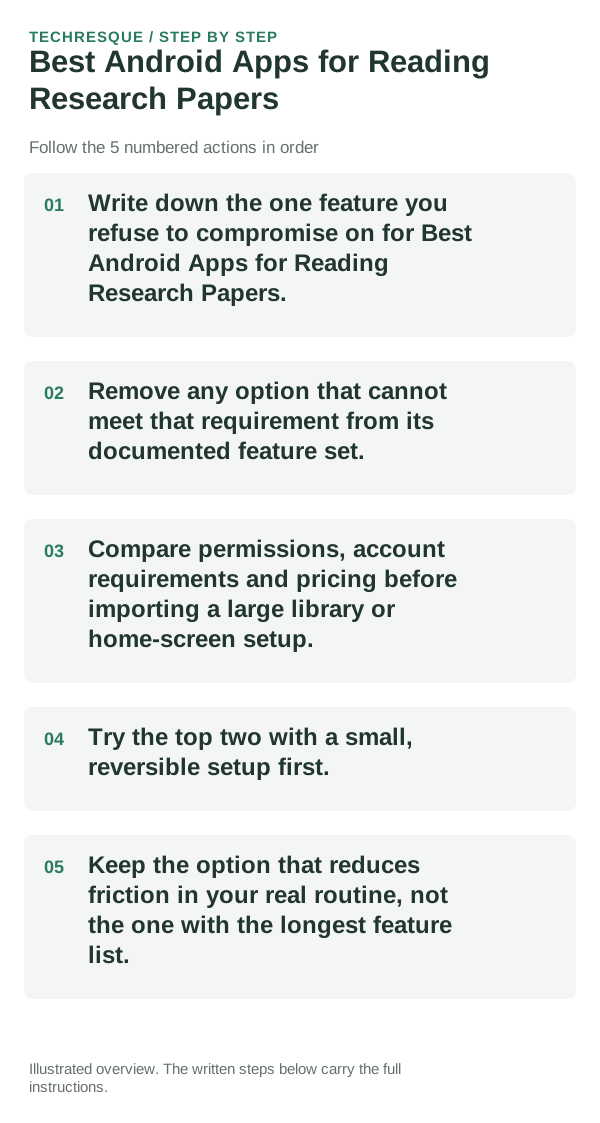
- Choose one of your own files and check whether the document tasks and privacy constraints of your workflow works in the format and workflow you actually use.
- Do not assume that a reader or PDF editor supports every format, export or editing action; confirm the exact operation in the current publisher listing.
- Check the current Play listing and in-app feature gates for price, ads, account, offline access and processing location. Those terms can change, so verify them before importing private documents.
- Open one of your own books, check its format and display controls, then verify that bookmarks and notes remain after closing the app and reopening it.
- Keep it only if it passes the check for the document tasks and privacy constraints of your workflow and the trade-off works in your day-to-day use.
Bottom line
For best android apps for reading research papers, compare local/offline reading, format support, library organization, annotations and text-to-speech rather than choosing by feature count alone. Readream is the strongest first fit for this specific angle.
Frequently asked questions
Do I need the option with the most features?
No. For research papers on Android, start with the document tasks and privacy constraints of your workflow; extra features do not compensate for a missing requirement.
Which feature should decide my choice?
Start with the document tasks and privacy constraints of your workflow. Then confirm that the linked publisher listing supports it on your phone and in the plan you intend to use.
Should I move all my data or settings immediately?
Open one of your own files, test it offline if that matters, and confirm that bookmarks, notes and progress still work before importing the whole library.
Official sources and further reading
Reader controls and sync options depend on the app and file type. Test the same file in another reader before changing the original.